> ## Documentation Index
> Fetch the complete documentation index at: https://docs.inworld.ai/llms.txt
> Use this file to discover all available pages before exploring further.
# Edge Demo
This demo shows how an `Edge` works in the graph node system.
## Run the Template
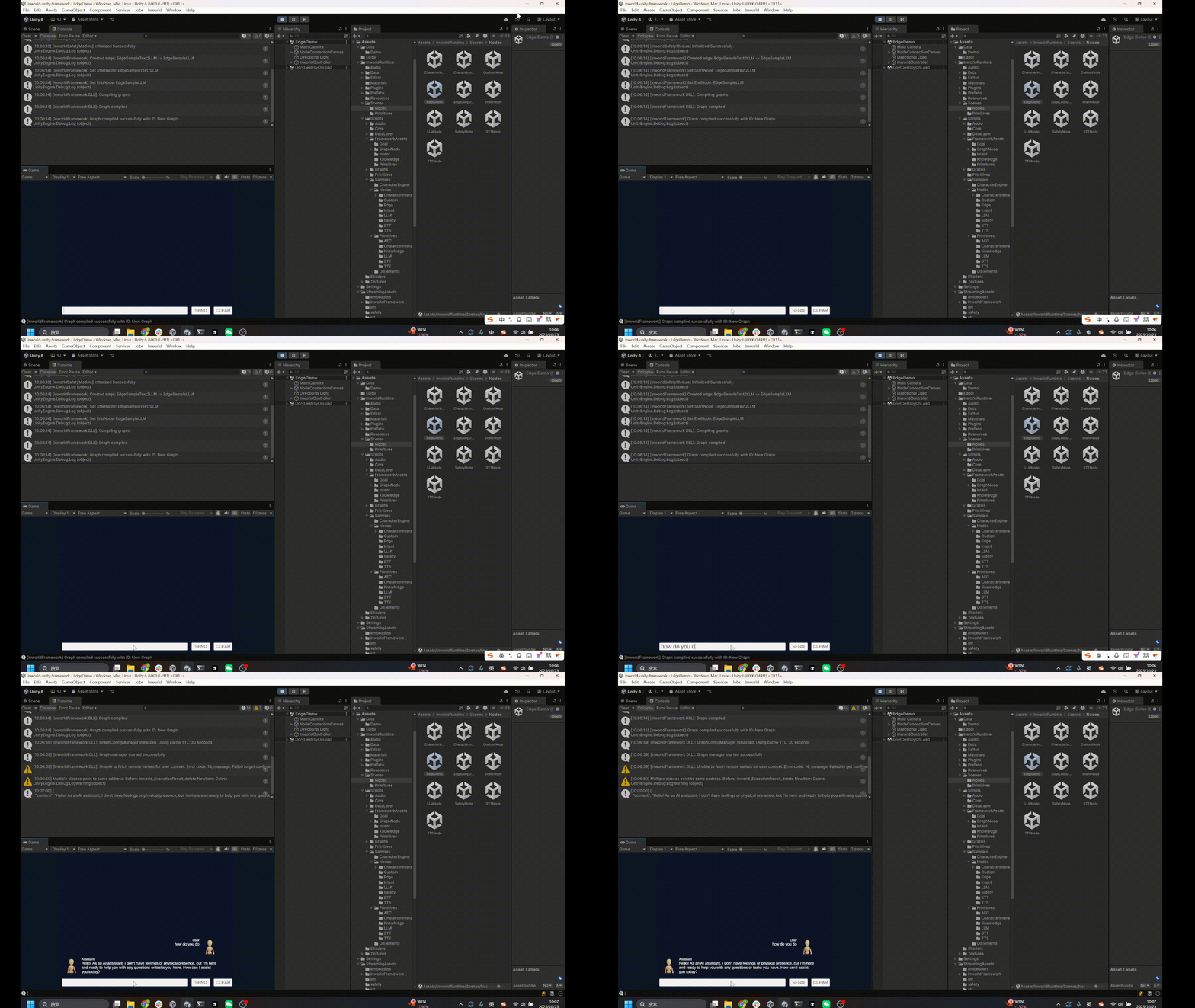
1. Go to `Assets/InworldRuntime/Scenes/Nodes` and play the `EdgeDemo` scene.
 2. The overall experience is the same as in the [LLM Node Demo](./llm).
Type your text; the AI agent will respond.
2. The overall experience is the same as in the [LLM Node Demo](./llm).
Type your text; the AI agent will respond.
 ## Understanding the Graph
`NodeConnectionCanvas` contains an `InworldGraphExecutor`.
## Understanding the Graph
`NodeConnectionCanvas` contains an `InworldGraphExecutor`.
 The graph contains two nodes: a custom node `TextToLLM` and an `LLMNode`, connected by an edge `Edge_SampleText_To_LLM`.
`TextToLLM` is the `StartNode` and `LLMNode` is the `EndNode`.
The graph contains two nodes: a custom node `TextToLLM` and an `LLMNode`, connected by an edge `Edge_SampleText_To_LLM`.
`TextToLLM` is the `StartNode` and `LLMNode` is the `EndNode`.
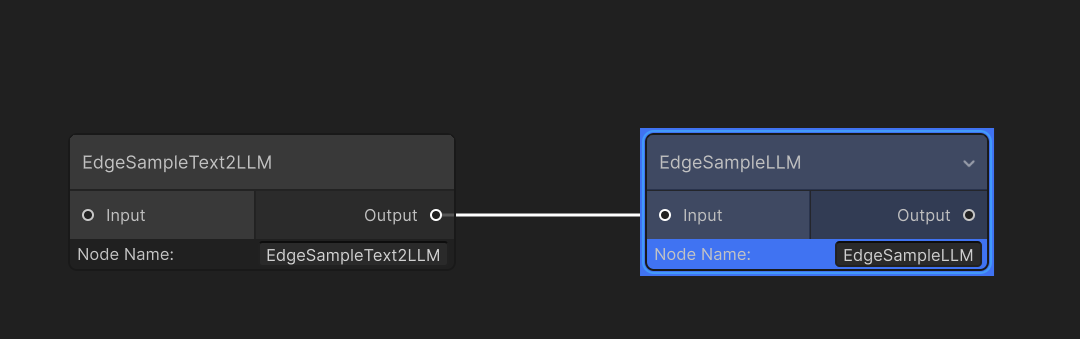
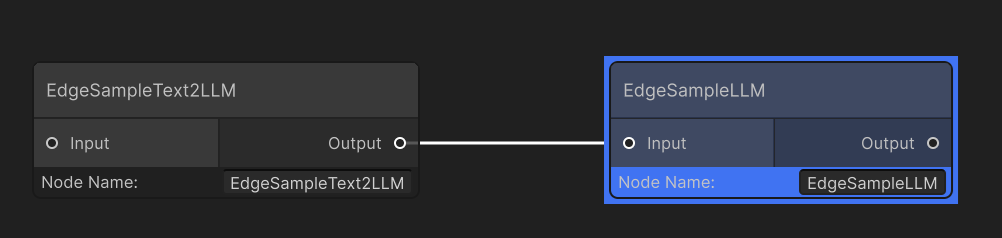 You can also see this connection in the Graph Editor.
 ### CustomNode details
This node is a `TxtToPromptSampleNodeAsset`, implemented by inheriting from `CustomNodeAsset`.
In its overridden `ProcessBaseData()`, it inspects the input `InworldBaseData`, wraps it into an `LLMChatRequest` (the type accepted by `LLMNode`), and sends it onward.
```c# TxtToPromptSampleNodeAsset.cs theme={"system"}
public class TxtToPromptSampleNodeAsset : CustomNodeAsset
{
protected override InworldBaseData ProcessBaseData(InworldVector inputs)
{
string strInput = "";
if (inputs != null)
{
for (int i = 0; i < inputs.Size; i++)
{
InworldText text = new InworldText(inputs[i]);
if (text.IsValid)
{
strInput += text.Text;
}
}
}
InworldVector messages = new InworldVector();
InworldMessage message = new InworldMessage();
message.Role = Role.User;
message.Content = strInput;
messages.Add(message);
return new LLMChatRequest(messages);
}
}
```
### Edge
This edge uses the default behavior: it simply forwards all output from the previous node to the next node.
### InworldController
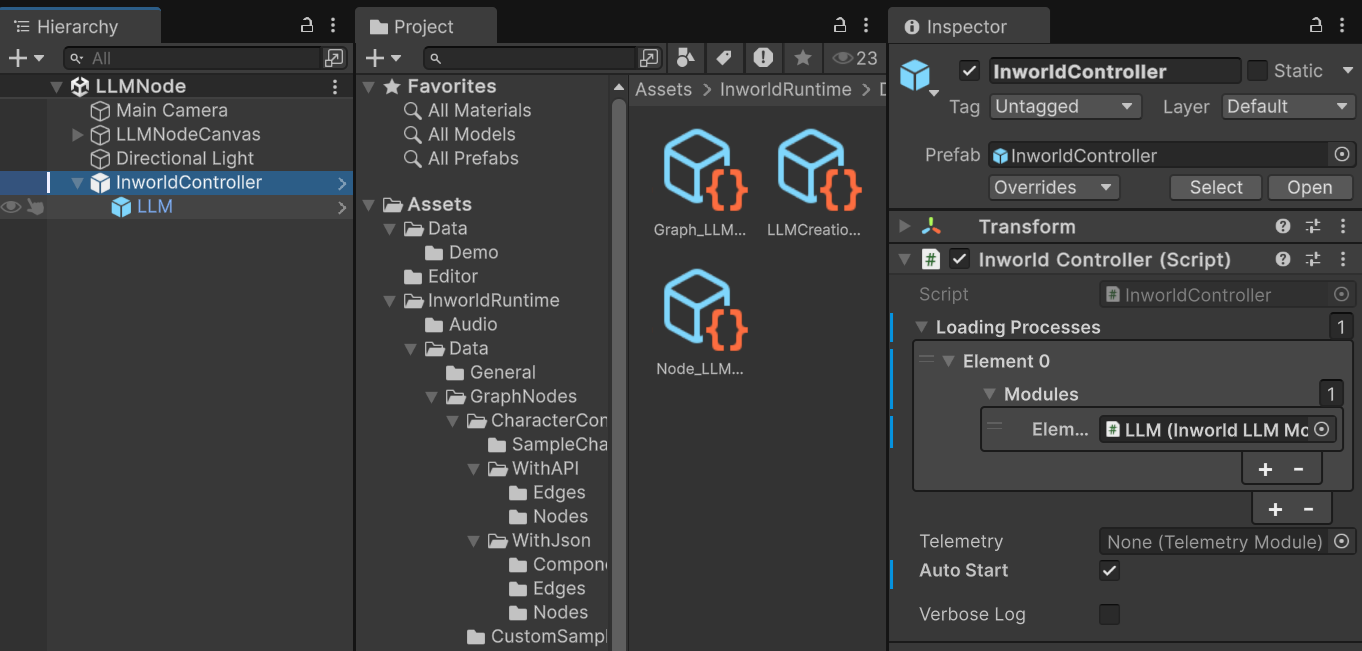
The `InworldController` is also simple; it contains only one primitive module: `LLM`.
### CustomNode details
This node is a `TxtToPromptSampleNodeAsset`, implemented by inheriting from `CustomNodeAsset`.
In its overridden `ProcessBaseData()`, it inspects the input `InworldBaseData`, wraps it into an `LLMChatRequest` (the type accepted by `LLMNode`), and sends it onward.
```c# TxtToPromptSampleNodeAsset.cs theme={"system"}
public class TxtToPromptSampleNodeAsset : CustomNodeAsset
{
protected override InworldBaseData ProcessBaseData(InworldVector inputs)
{
string strInput = "";
if (inputs != null)
{
for (int i = 0; i < inputs.Size; i++)
{
InworldText text = new InworldText(inputs[i]);
if (text.IsValid)
{
strInput += text.Text;
}
}
}
InworldVector messages = new InworldVector();
InworldMessage message = new InworldMessage();
message.Role = Role.User;
message.Content = strInput;
messages.Add(message);
return new LLMChatRequest(messages);
}
}
```
### Edge
This edge uses the default behavior: it simply forwards all output from the previous node to the next node.
### InworldController
The `InworldController` is also simple; it contains only one primitive module: `LLM`.
 ## Workflow
1. When the game starts, `InworldController` initializes its only module, `LLMModule`, which creates the `LLMInterface`.
2. Next, `InworldGraphExecutor` initializes its graph asset by calling each component’s `CreateRuntime()`.
In this case, `TextToPromptNode` initializes immediately.
When `LLMNode.CreateRuntime()` is called, it uses the created `LLMInterface` as input.
3. After initialization, the graph calls `Compile()` and returns the executor handle.
4. After compilation, the `OnGraphCompiled` event is invoked.
In this demo, `NodeConnectionTemplate` subscribes to it and enables the UI components. Users can then interact with the graph system.
```c# CustomNodeAsset.cs theme={"system"}
public override bool CreateRuntime(InworldGraphAsset graphAsset)
{
m_Graph = graphAsset;
m_Executor = new EdgeNodeProcessExecutor(ProcessBaseDataIO);
Runtime = new EdgeNodeWrapper(NodeName, m_Executor);
return Runtime?.IsValid ?? false;
}
protected virtual void ProcessBaseDataIO(IntPtr contextPtr)
{
try
{
// Here is the virtual ProcessBaseData for override.
EdgeNodeProcessExecutor.SetLastOutput(ProcessBaseData(EdgeNodeProcessExecutor.LastIntputs));
}
...
}
```
```c# NodeConnectionTemplate.cs theme={"system"}
protected override void OnGraphCompiled(InworldGraphAsset obj)
{
foreach (InworldUIElement element in m_UIElements)
element.Interactable = true;
}
```
5. After the UI is initialized, send the input text to the graph.
6. Calling `ExecuteGraphAsync()` eventually produces a result and invokes `OnGraphResult()`, which `NodeConnectionTemplate` subscribes to in order to receive the data.
```c# NodeConnectionTemplate.cs theme={"system"}
protected override void OnGraphResult(InworldBaseData obj)
{
LLMChatResponse response = new LLMChatResponse(obj);
Debug.Log(obj);
if (response.IsValid && response.Content != null && response.Content.IsValid)
{
string message = response.Content.ToString();
InsertBubble(m_BubbleLeft, Role.Assistant.ToString(), message);
}
}
```
## Workflow
1. When the game starts, `InworldController` initializes its only module, `LLMModule`, which creates the `LLMInterface`.
2. Next, `InworldGraphExecutor` initializes its graph asset by calling each component’s `CreateRuntime()`.
In this case, `TextToPromptNode` initializes immediately.
When `LLMNode.CreateRuntime()` is called, it uses the created `LLMInterface` as input.
3. After initialization, the graph calls `Compile()` and returns the executor handle.
4. After compilation, the `OnGraphCompiled` event is invoked.
In this demo, `NodeConnectionTemplate` subscribes to it and enables the UI components. Users can then interact with the graph system.
```c# CustomNodeAsset.cs theme={"system"}
public override bool CreateRuntime(InworldGraphAsset graphAsset)
{
m_Graph = graphAsset;
m_Executor = new EdgeNodeProcessExecutor(ProcessBaseDataIO);
Runtime = new EdgeNodeWrapper(NodeName, m_Executor);
return Runtime?.IsValid ?? false;
}
protected virtual void ProcessBaseDataIO(IntPtr contextPtr)
{
try
{
// Here is the virtual ProcessBaseData for override.
EdgeNodeProcessExecutor.SetLastOutput(ProcessBaseData(EdgeNodeProcessExecutor.LastIntputs));
}
...
}
```
```c# NodeConnectionTemplate.cs theme={"system"}
protected override void OnGraphCompiled(InworldGraphAsset obj)
{
foreach (InworldUIElement element in m_UIElements)
element.Interactable = true;
}
```
5. After the UI is initialized, send the input text to the graph.
6. Calling `ExecuteGraphAsync()` eventually produces a result and invokes `OnGraphResult()`, which `NodeConnectionTemplate` subscribes to in order to receive the data.
```c# NodeConnectionTemplate.cs theme={"system"}
protected override void OnGraphResult(InworldBaseData obj)
{
LLMChatResponse response = new LLMChatResponse(obj);
Debug.Log(obj);
if (response.IsValid && response.Content != null && response.Content.IsValid)
{
string message = response.Content.ToString();
InsertBubble(m_BubbleLeft, Role.Assistant.ToString(), message);
}
}
```