

SafetyNode.
Run the Template
- Go to
Assets/InworldRuntime/Scenes/Nodesand play theSafetyNodescene.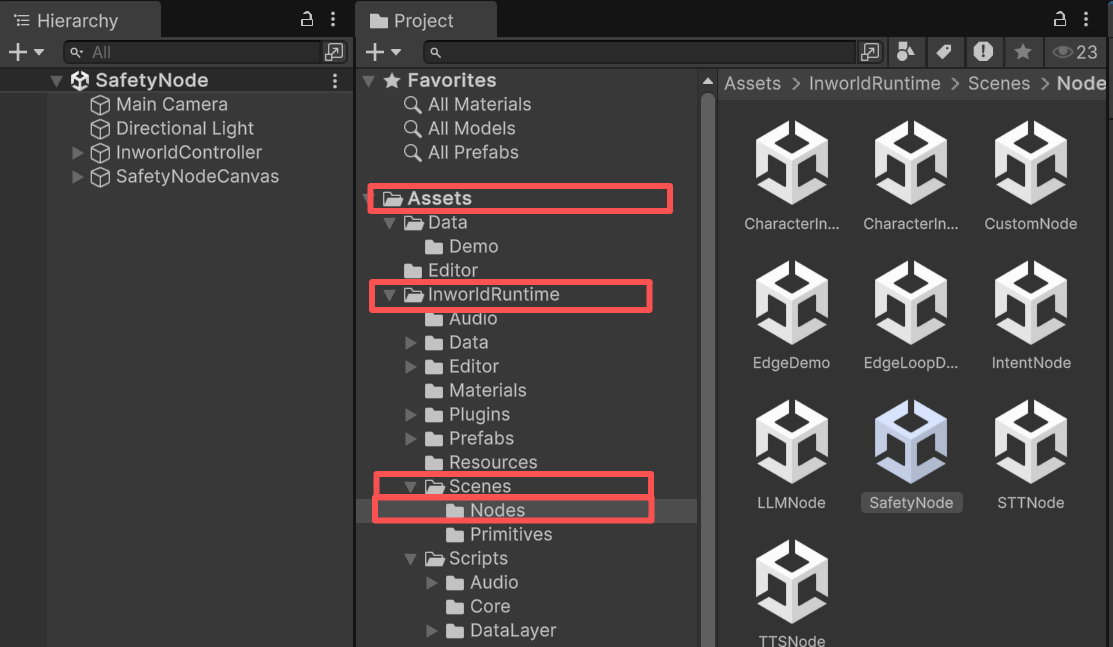
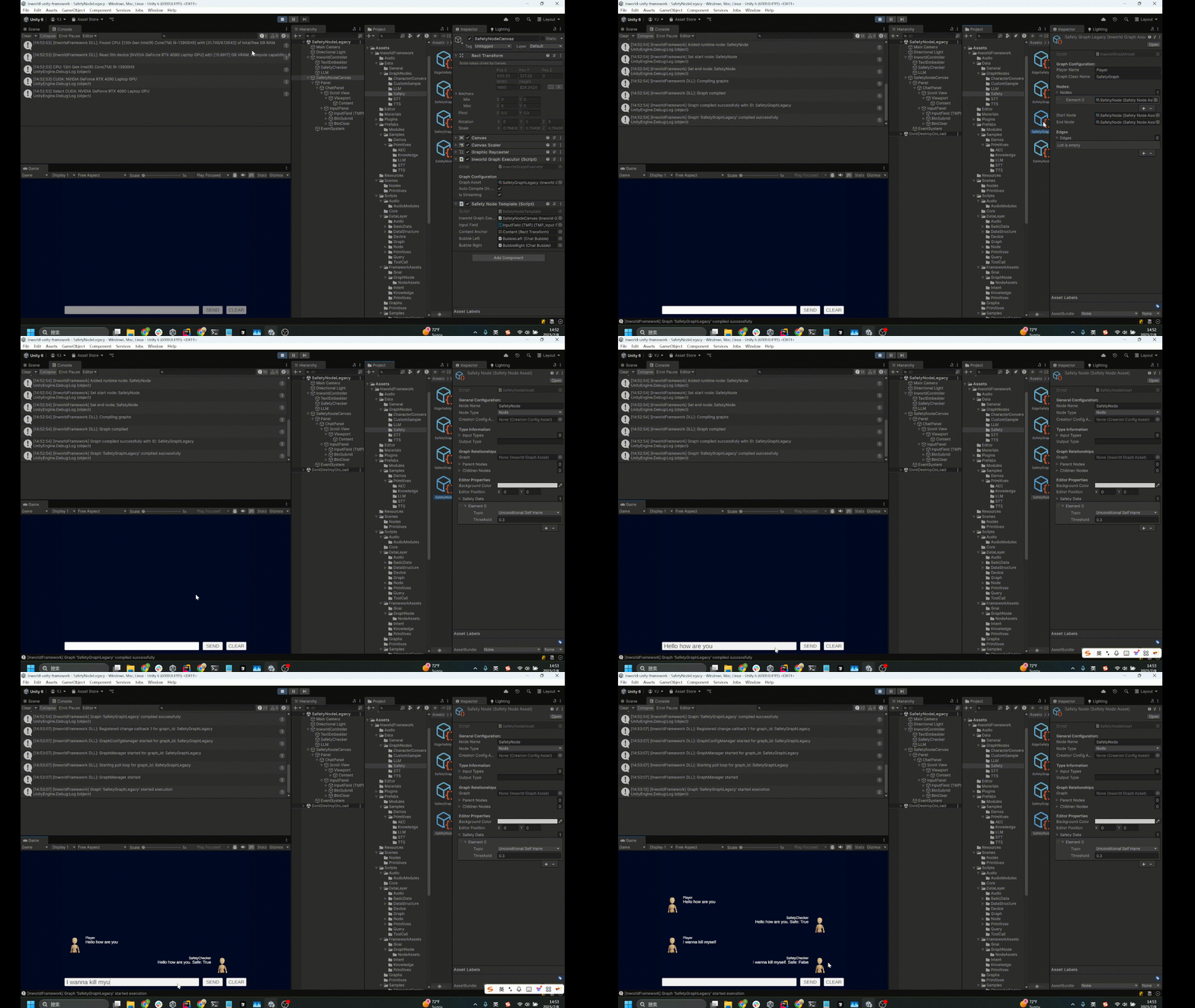
- Once the graph is compiled, enter text.
- The system compares the input against the safety word lists and returns a similarity score (0 = lowest, 1 = highest).
- If the score exceeds the threshold, the input is marked unsafe.
Understanding the Graph
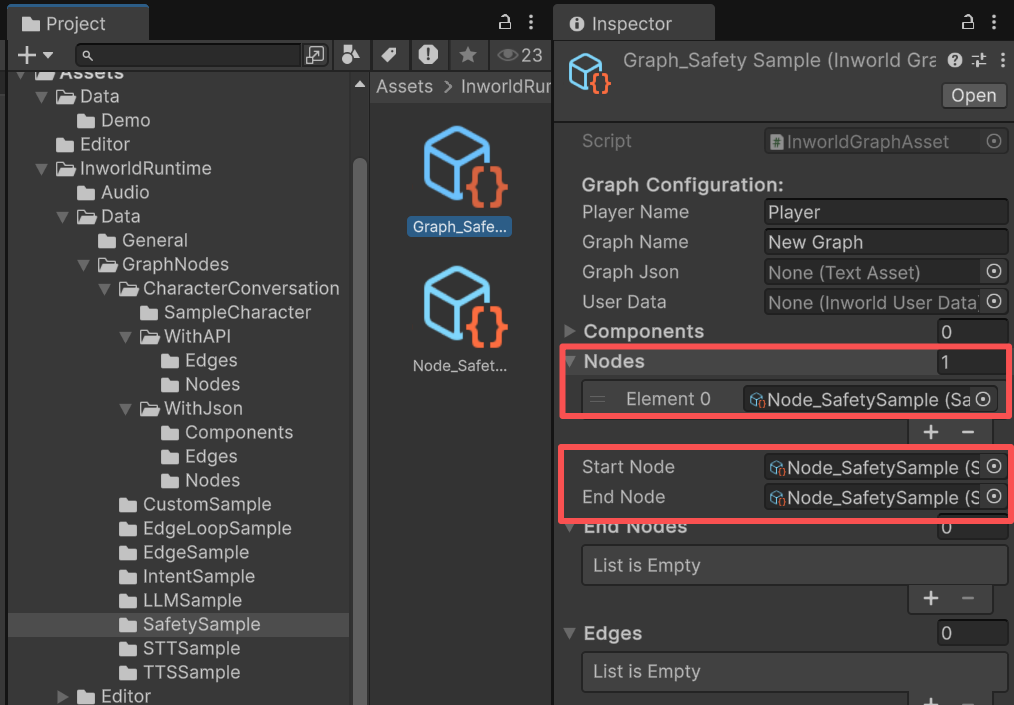
SafetyNodeCanvas contains an InworldGraphExecutor whose graph asset includes only a single SafetyNode.
The graph is very simple. It contains a single node, SafetyNode, with no edges.
SafetyNode is both the StartNode and the EndNode.
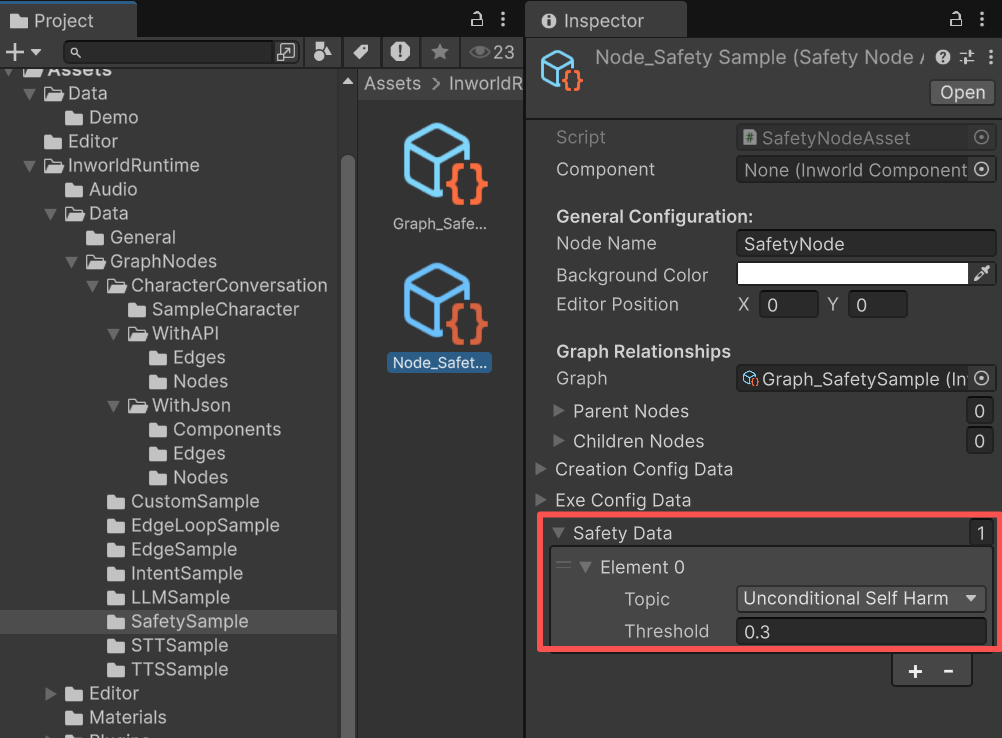
SafetyData
TheSafetyData is defined directly within the SafetyNodeAsset.
InworldController
InworldController includes 2 primitive modules: TextEmbedder and SafetyChecker.
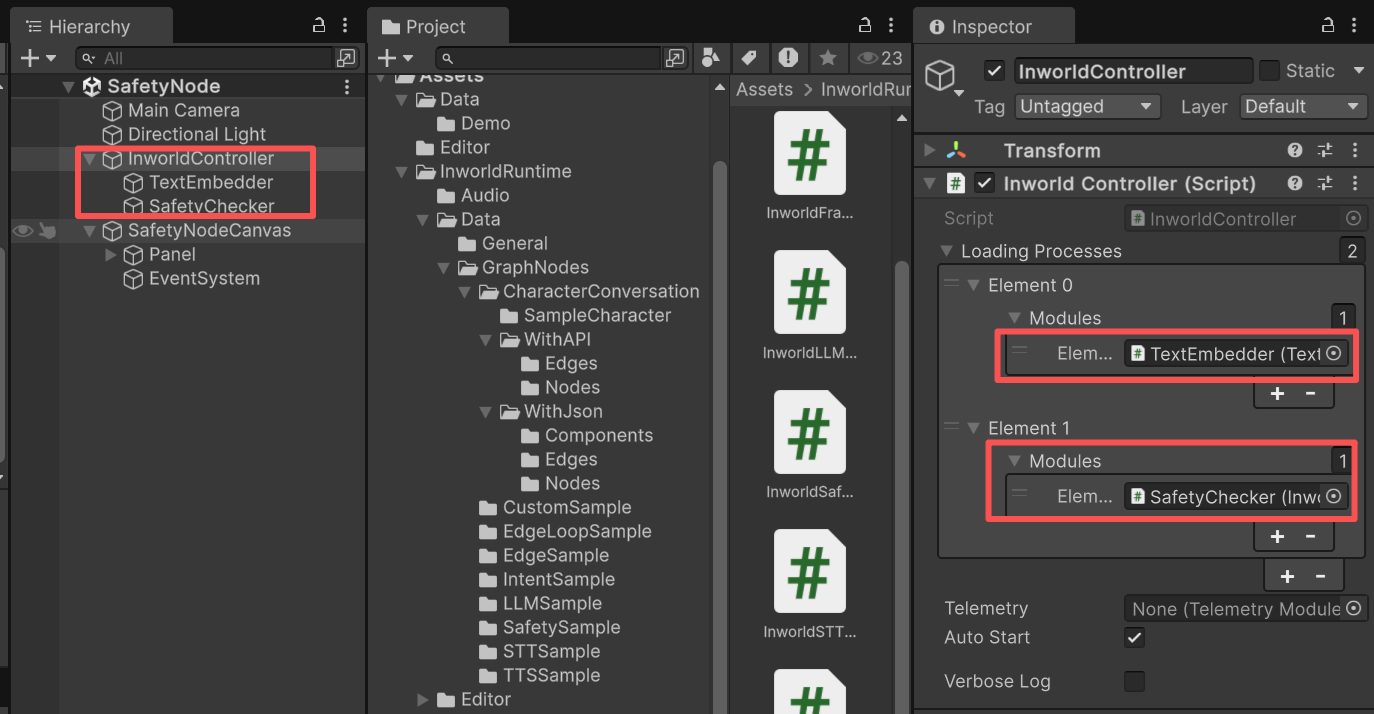
SafetyNode requires both the TextEmbedder interface and the SafetyChecker configuration during CreateRuntime().
The safety module also depends on TextEmbedderModule being initialized first.
SafetyNodeAsset.cs
Workflow
- When the game starts,
InworldControllerinitializesTextEmbedderModule, which creates theTextEmbedderInterface. - Next,
SafetyCheckerinitializesInworldSafetyModule. - Then
InworldGraphExecutorinitializes its graph asset by calling each component’sCreateRuntime(). In this case,SafetyNode.CreateRuntime()is called with both theTextEmbedderInterfaceand theSafetyCheckerconfiguration as input. After that, the graph callsCompile()and returns the executor handle. - After compilation, the
OnGraphCompiledevent is invoked. In this demo,SafetyNodeTemplatesubscribes to it and enables the UI components. Users can then interact with the graph system.
SafetyNodeTemplate.cs
-
After the UI is initialized, pressing
Enteror theSENDbutton sends the input text to the graph. -
Calling
ExecuteGraphAsync()eventually produces a result and invokesOnGraphResult(), whichSafetyNodeTemplatesubscribes to in order to receive the data.
SafetyNodeTemplate.cs