

TTSNode.
Run the Template
- Go to
Assets/InworldRuntime/Scenes/Nodesand play theTTSNodescene.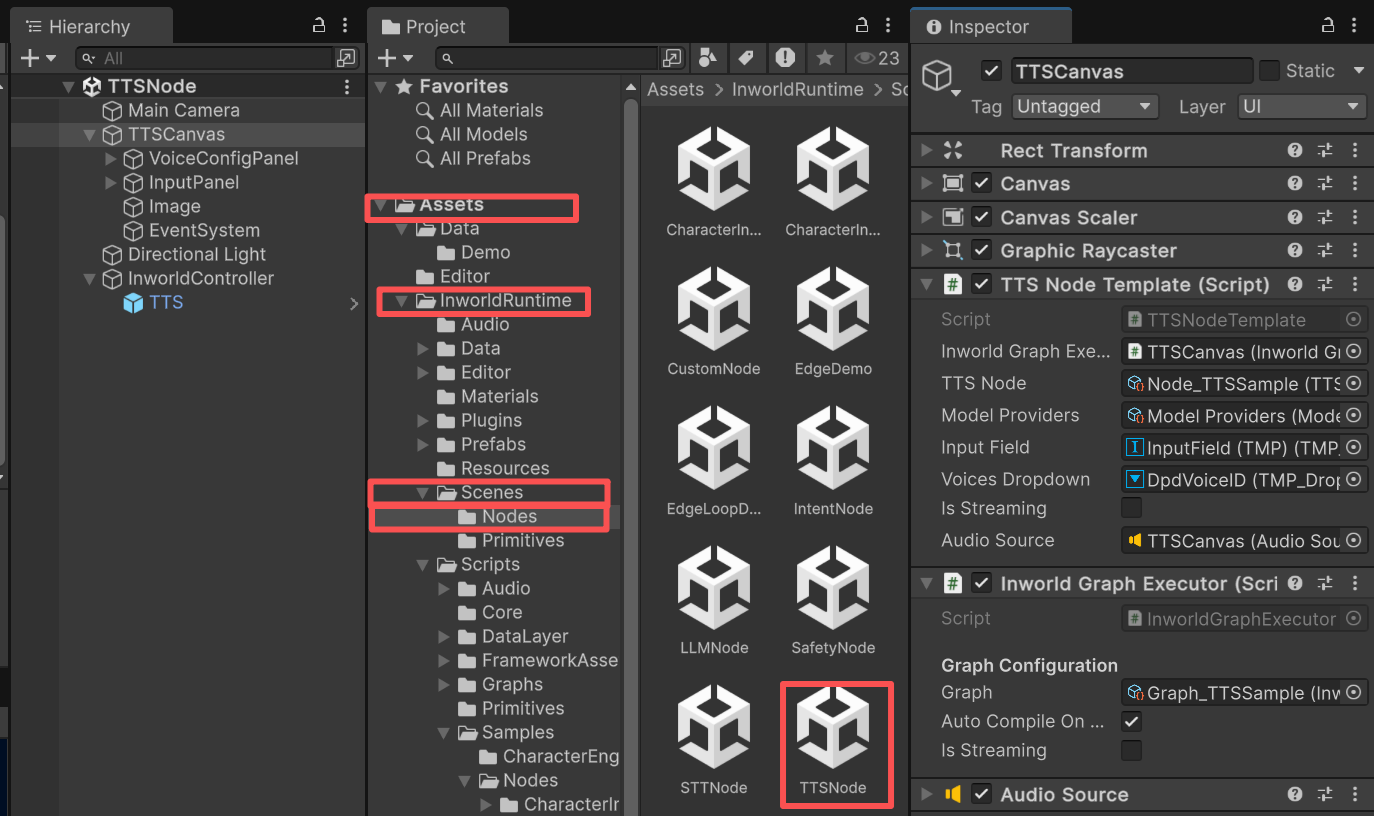
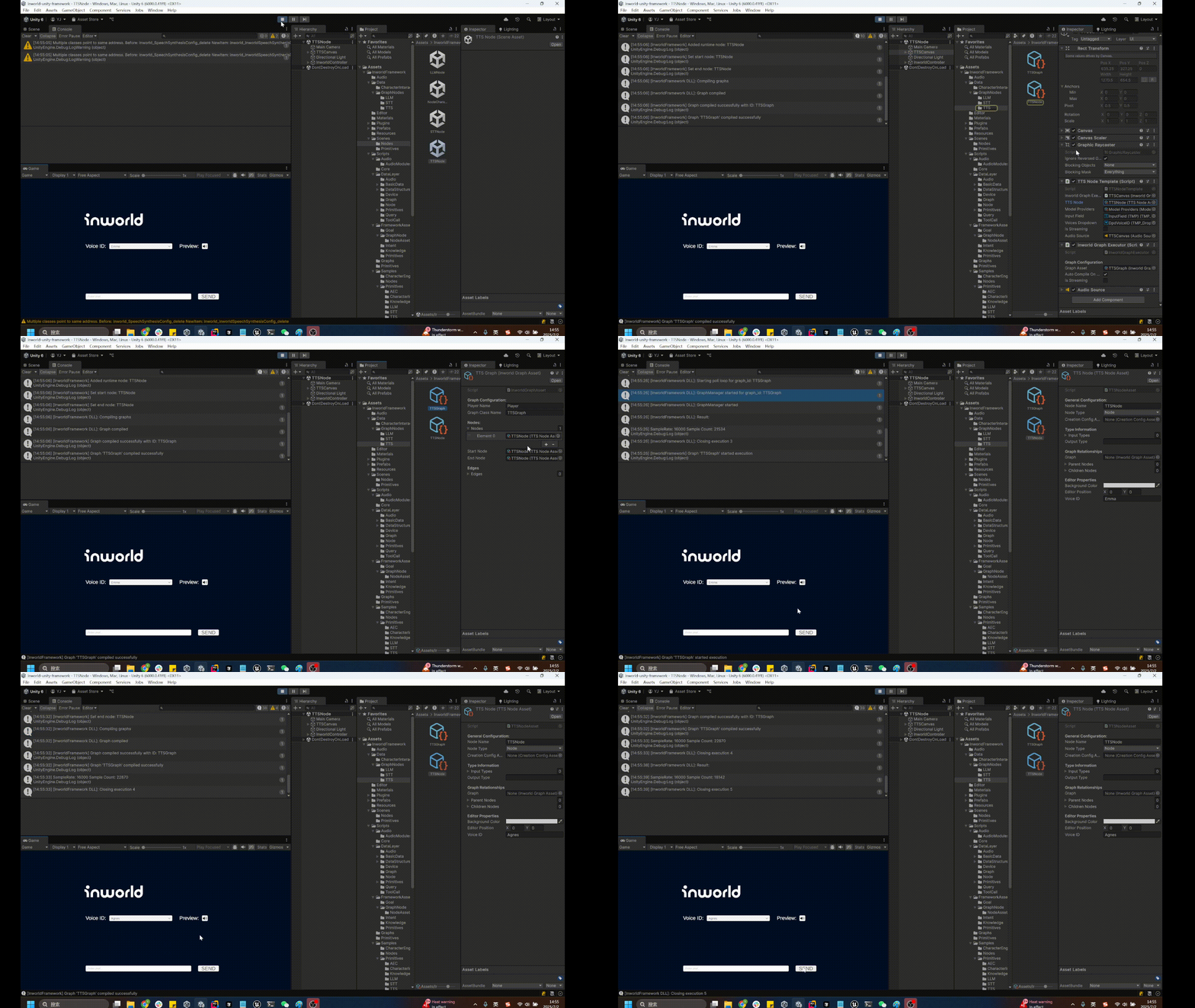
- Once the graph is compiled, enter text or send a preview message to generate speech.
Understanding the Graph
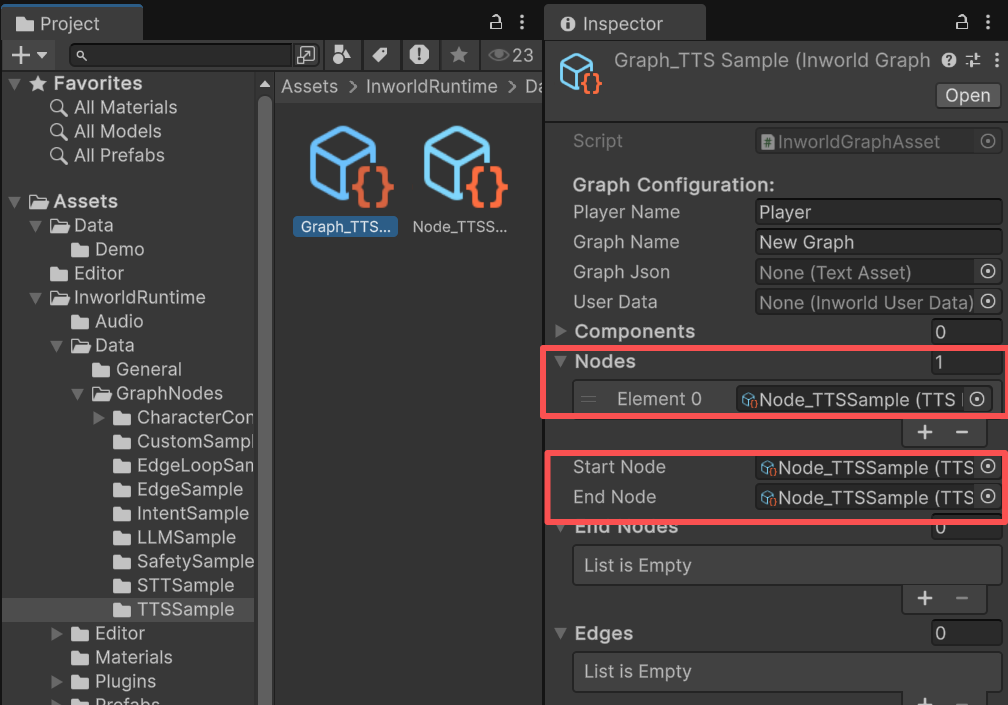
You can find the graph on theInworldGraphExecutor of TTSCanvas.
The graph is very simple. It contains a single node, TTSNode, with no edges.
TTSNode is both the StartNode and the EndNode.
InworldController
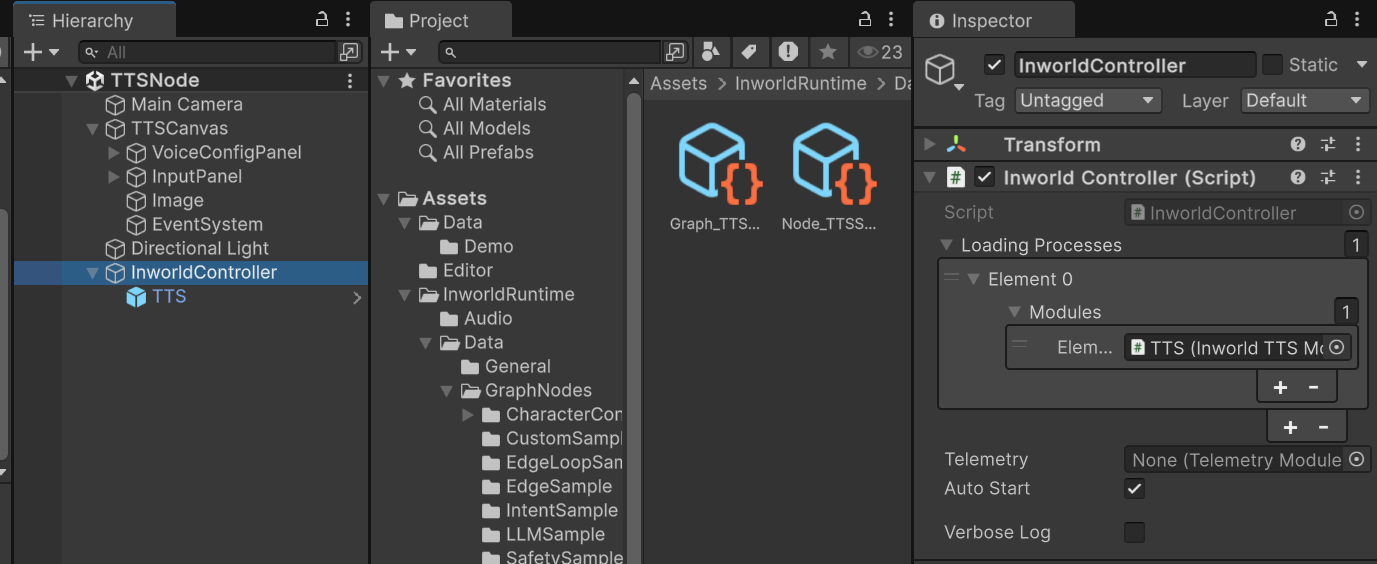
TheInworldController is also simple; it contains only one primitive module: TTS.
Workflow
- When the game starts,
InworldControllerinitializes its only module,TTSModule, which creates theTTSInterfaceusing the voice ID selected in the dropdown. - Next,
InworldGraphExecutorinitializes its graph asset by calling each component’sCreateRuntime(). In this case, onlyTTSNode.CreateRuntime()is called, using the createdTTSInterfaceas input. - After initialization, the graph calls
Compile()and returns the executor handle. - After compilation, the
OnGraphCompiledevent is invoked. In this demo,TTSNodeTemplatesubscribes to it and enables the UI components. Users can then interact with the graph system.
TTSNodeTemplate.cs
- After the UI is initialized, pressing the
Previewbutton sends “Hello, I’m ” asInworldTextto the graph. - When you enter a sentence and press
Enteror theSendbutton, your message is also sent asInworldText.
TTSNodeTemplate.cs
- Calling
ExecuteGraphAsync()eventually produces a result and invokesOnGraphResult(), whichTTSNodeTemplatesubscribes to in order to receive the data.
TTSNodeTemplate.cs
-
The returned data type from
TTSNodeisInworldDataStream<TTSOutput>, which does not expose read APIs. Convert it toInworldInputStream<TTSOutput>first. -
In this demo, we read on a background thread using Unity’s
Awaitable. -
After all waveform data is collected and we switch back to the main thread, we play it using the attached
AudioSource.