In this quickstart tutorial, we’ll walk through running a simple conversational pipeline with voice outputs using the Inworld Node.js Runtime SDK. The pipeline is powered by an LLM for generating the response and Inworld’s TTS model for generating the audio output. Let’s dive in!

Prerequisites

Get Started

1

Create a Node.js project

Create a new project for the voice agent.
mkdir inworld-quickstart
cd inworld-quickstart
npm init --init-type module
npm add -D typescript tsx
2

Install required dependencies

In your project directory’s root, install the required dependencies by running the following command:
yarn install @inworld/runtime @types/node tsx dotenv wav-encoder
3

Configure environment variables

Run the following command to set your API key:
export INWORLD_API_KEY=<your-inworld-api-key>
4

Run an example

Create a file with the below code and run it. You’ll find the audio output saved in output.wav.
inworld_quickstart.ts
import {
  SequentialGraphBuilder,
  RemoteLLMChatNode,
  RemoteTTSNode,
  TextChunkingNode,
  GraphTypes,
} from '@inworld/runtime/graph';

import * as fs from 'fs';
import wavEncoder from 'wav-encoder';

const graph = new SequentialGraphBuilder({
  id: 'quickstart-chat',
  nodes: [
    new RemoteLLMChatNode({
      provider: 'openai',
      modelName: 'gpt-4o-mini',
      stream: true,
    }),
    new TextChunkingNode(),
    new RemoteTTSNode(),
  ],
}).build();

const { outputStream } = graph.start(
  new GraphTypes.LLMChatRequest({
    messages: [{ role: 'user', content: 'Hello!' }],
  }),
);

let allAudioData: number[] = [];

for await (const result of outputStream) {
  await result.processResponse({
    TTSOutputStream: async (ttsStream) => {
      for await (const chunk of ttsStream) {
        if (chunk.audio?.data) {
          allAudioData.push(...chunk.audio.data);
        }
      }
    },
  });
}

// Encode and save audio as WAV
fs.writeFileSync(
  'output.wav',
  Buffer.from(
    await wavEncoder.encode({
      sampleRate: 48000,
      channelData: [new Float32Array(allAudioData)],
    }),
  ),
);
5

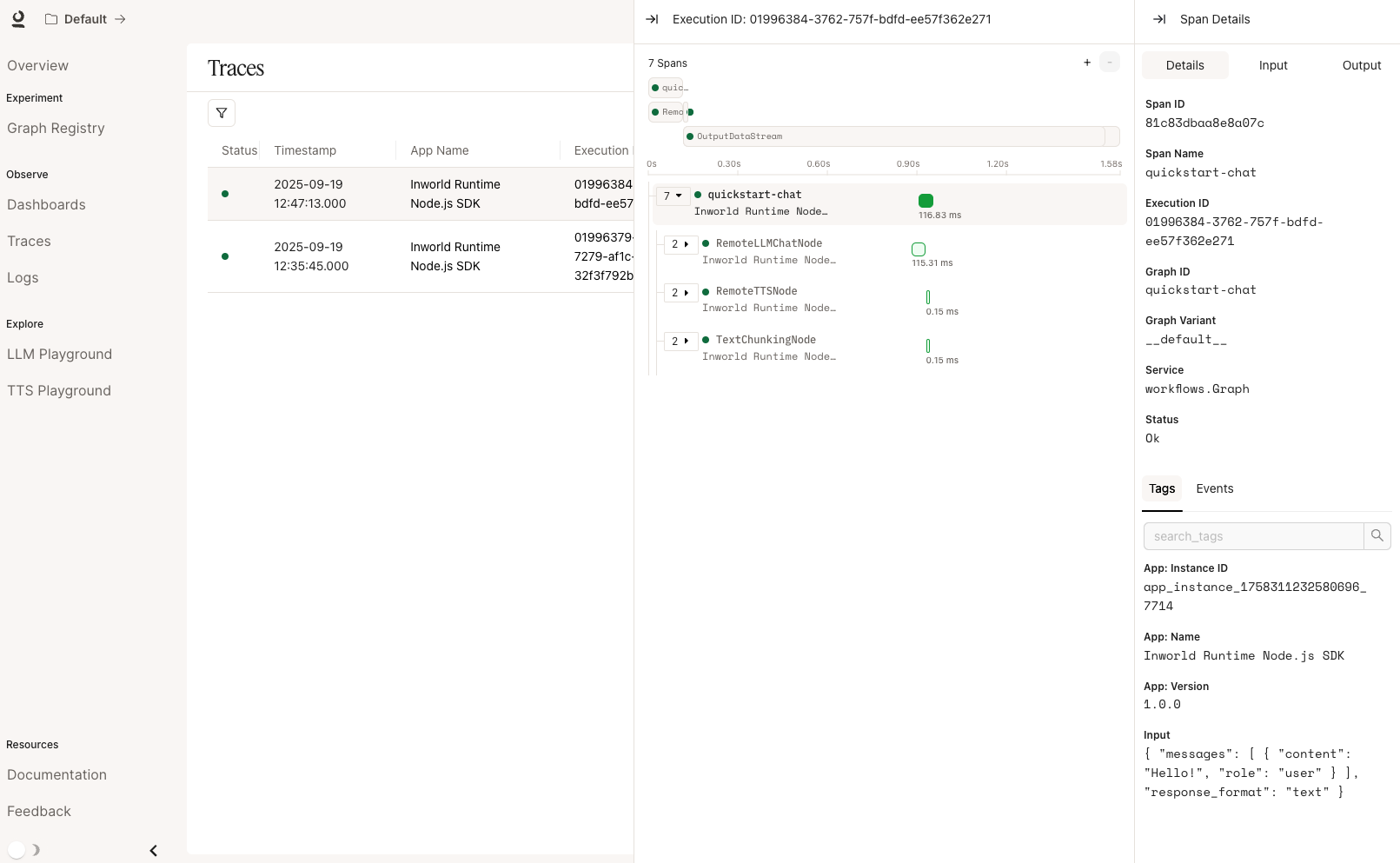
Check out your traces

View your traces in Portal!
Next Steps