> ## Documentation Index
> Fetch the complete documentation index at: https://docs.inworld.ai/llms.txt
> Use this file to discover all available pages before exploring further.
# API keys
> Create and manage the workspace API keys every other credential is minted from.
An API key is your workspace's long-lived credential. [Session tokens](https://docs.inworld.ai/portal/session-tokens.md) and [one-time tokens](https://docs.inworld.ai/portal/ephemeral-tokens.md) are created from an API key. Deleting that key invalidates them too.
Keep API keys on your servers, never in client code. See [Security best practices](https://docs.inworld.ai/portal/auth-security.md) for safe patterns for browsers, mobile apps, and games.
## Getting an API key
To get an API key from the Portal:
1. Log in to [Inworld Portal](https://platform.inworld.ai/).
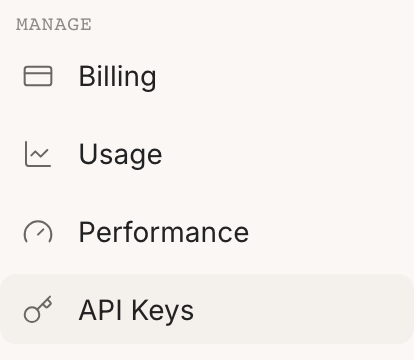
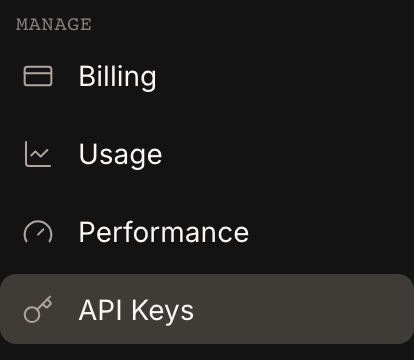
2. In the sidebar, under **Manage**, select [**API Keys**](https://platform.inworld.ai/api-keys).
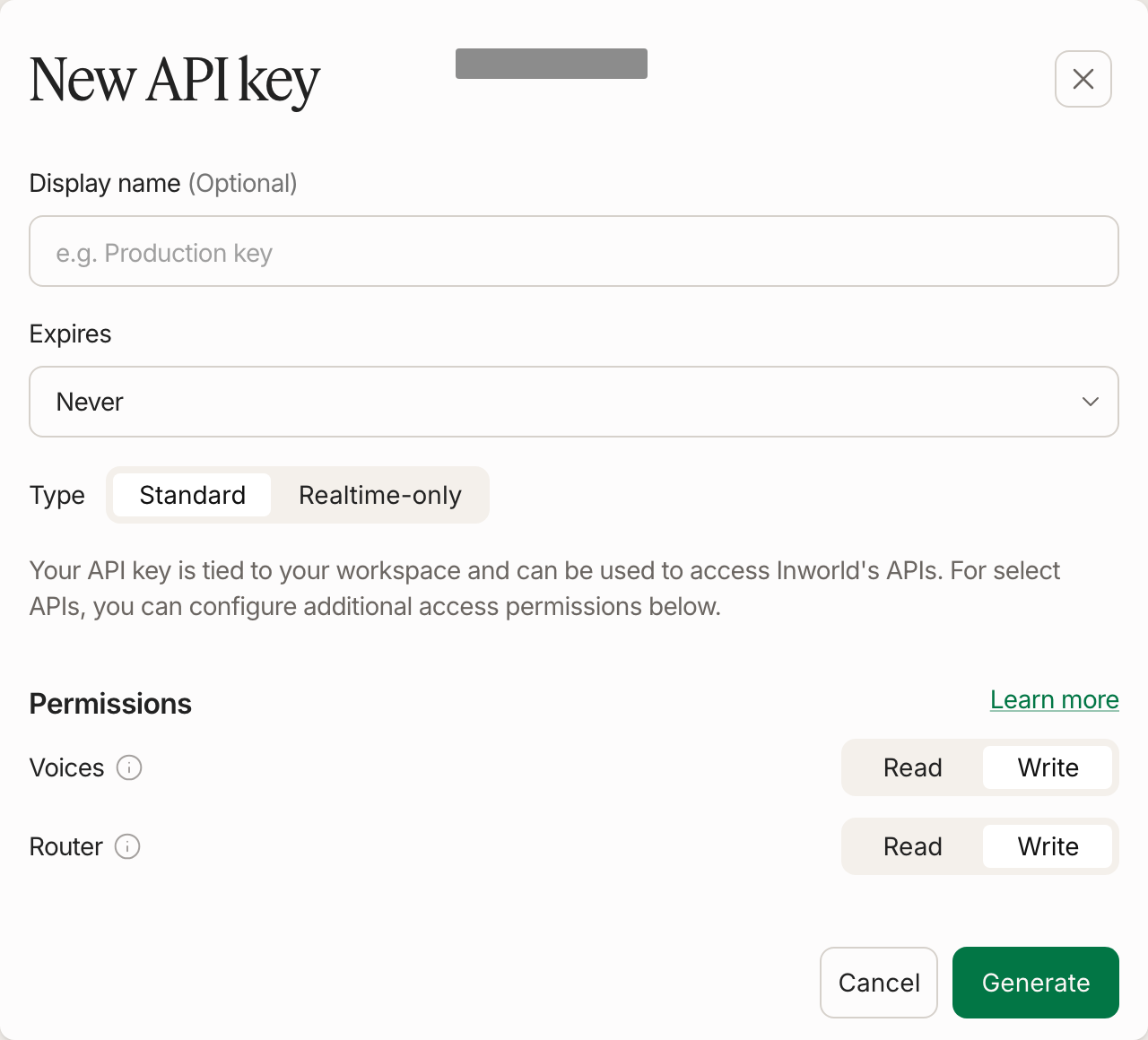
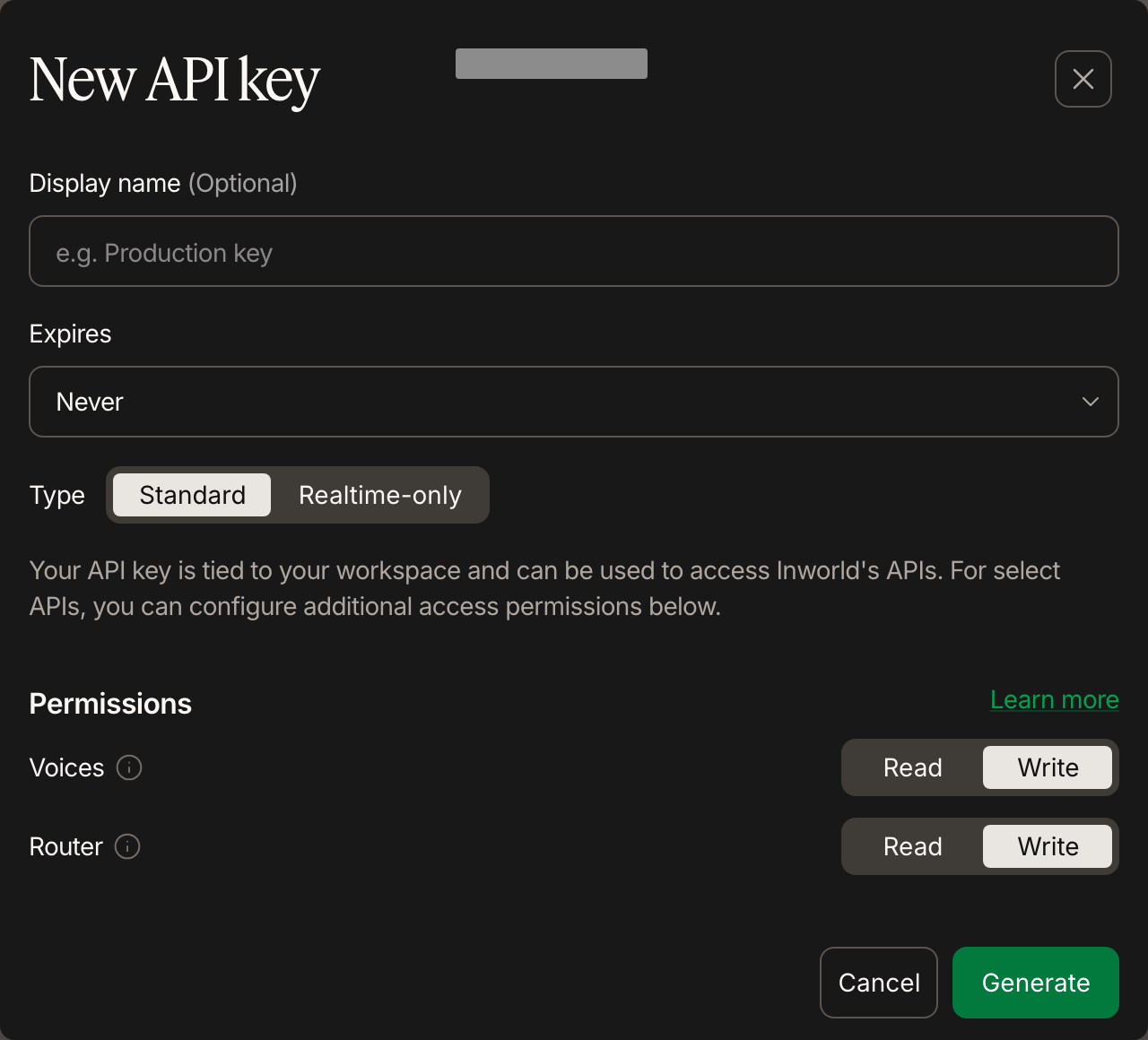
 3. Click **Generate new key**. In **New API key**, choose the key type and permissions, then click **Generate**.
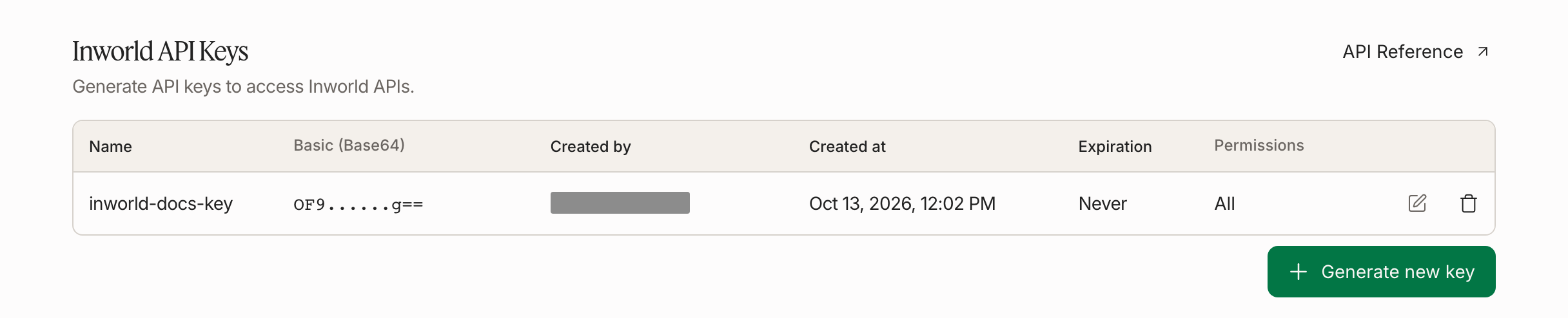
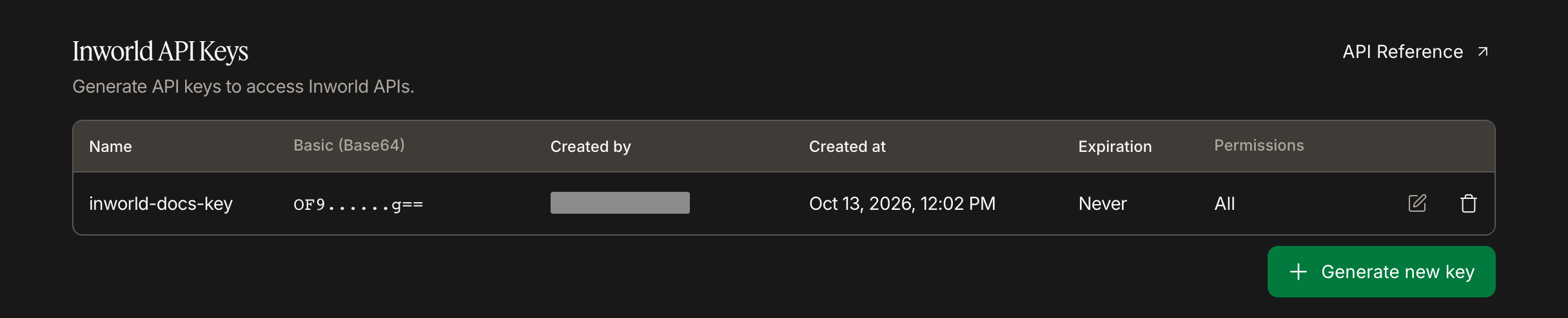 4. Copy **Basic (Base64)** for the key. This is the complete `base64(key_id:secret)` value; use it as-is for `INWORLD_API_KEY`. Do not encode it again. See [API key authentication](https://docs.inworld.ai/portal/api-key-auth.md).
Choose whether each API key has write permission for:
- [Voice API](https://docs.inworld.ai/api-reference/voiceAPI/voiceservice/clone-voice.md): required for POST, PATCH, and DELETE endpoints (clone voice, update voice, delete voice). GET endpoints only require read permissions.
- [Router API](https://docs.inworld.ai/api-reference/routerAPI/routerservice/create-router.md): required for POST, PATCH, and DELETE endpoints (create router, update router, delete router). GET endpoints only require read permissions.
4. Copy **Basic (Base64)** for the key. This is the complete `base64(key_id:secret)` value; use it as-is for `INWORLD_API_KEY`. Do not encode it again. See [API key authentication](https://docs.inworld.ai/portal/api-key-auth.md).
Choose whether each API key has write permission for:
- [Voice API](https://docs.inworld.ai/api-reference/voiceAPI/voiceservice/clone-voice.md): required for POST, PATCH, and DELETE endpoints (clone voice, update voice, delete voice). GET endpoints only require read permissions.
- [Router API](https://docs.inworld.ai/api-reference/routerAPI/routerservice/create-router.md): required for POST, PATCH, and DELETE endpoints (create router, update router, delete router). GET endpoints only require read permissions.
 These permissions do not affect other APIs (such as Text-to-Speech and LLM).
Alternatively, the [Inworld CLI](https://docs.inworld.ai/developer-tools/inworld-cli.md) mints a key without leaving the terminal — this also works for AI coding agents:
```bash
npm install -g @inworld/cli
inworld login
inworld workspace add-key --name my-key # add --write to also allow Voice and Router write endpoints
inworld workspace select-key # make the new key the active one
inworld auth print-api-key # print the API key for the Authorization header
```
`inworld auth print-api-key` returns the selected key’s Base64 credential, or the existing `INWORLD_API_KEY` value if set. It does not mint a client token.
`--write` only affects write endpoints of the [Voice API](https://docs.inworld.ai/api-reference/voiceAPI/voiceservice/clone-voice.md) and [Router API](https://docs.inworld.ai/api-reference/routerAPI/routerservice/create-router.md) — other APIs (such as Text-to-Speech and LLM) are not impacted.
## Key permissions
What a key can reach:
- **Standard keys** cover the platform APIs — TTS, STT, LLM, and read access to Voices and Router configuration.
- **Write permissions** to the [Voice API](https://docs.inworld.ai/api-reference/voiceAPI/voiceservice/clone-voice.md) and [Router API](https://docs.inworld.ai/api-reference/routerAPI/routerservice/create-router.md) are opt-in toggles on the key: they gate POST, PATCH, and DELETE endpoints (cloning, updating, and deleting voices or router configs). GET endpoints only need read permissions, and other APIs are unaffected. You can edit these toggles on an existing key at any time.
- **Realtime-only keys** (below) cover only the Realtime API.
Tokens created from a key inherit exactly its permissions.
A key's type, Realtime-only or standard, is fixed at creation and cannot change later. You can edit write permissions at any time. For a different key type, create a new key.
## Realtime-only API keys
A Realtime-only key is built specifically for the [Inworld Realtime API](https://docs.inworld.ai/realtime/overview.md). Use it for voice agents that connect over WebSocket or WebRTC. It limits access to Realtime, so other APIs are not exposed if the key leaks.
It covers:
- Realtime sessions over [WebSocket](https://docs.inworld.ai/realtime/connect/websocket.md) and [WebRTC](https://docs.inworld.ai/realtime/connect/webrtc.md)
- Streaming audio in and out within a realtime session
- Speech, language, and voice generation the Realtime API performs for you
For other Inworld APIs, use a Standard key.
To create one: in [Inworld Portal](https://platform.inworld.ai/) open **Manage** > **API Keys**, click **Generate new key**, and choose **Realtime-only** as the key type. Click **Generate**, then copy **Basic (Base64)**.
## Managing keys
- Deleting a key immediately invalidates it and every token created from it. See [Security best practices](https://docs.inworld.ai/portal/auth-security.md#if-a-credential-leaks) for what to do if a credential leaks.
- Use separate keys for each environment and integration, so deleting one affects fewer services.
- Usage is attributed per key in the [usage dashboard](https://docs.inworld.ai/portal/usage.md).
These permissions do not affect other APIs (such as Text-to-Speech and LLM).
Alternatively, the [Inworld CLI](https://docs.inworld.ai/developer-tools/inworld-cli.md) mints a key without leaving the terminal — this also works for AI coding agents:
```bash
npm install -g @inworld/cli
inworld login
inworld workspace add-key --name my-key # add --write to also allow Voice and Router write endpoints
inworld workspace select-key # make the new key the active one
inworld auth print-api-key # print the API key for the Authorization header
```
`inworld auth print-api-key` returns the selected key’s Base64 credential, or the existing `INWORLD_API_KEY` value if set. It does not mint a client token.
`--write` only affects write endpoints of the [Voice API](https://docs.inworld.ai/api-reference/voiceAPI/voiceservice/clone-voice.md) and [Router API](https://docs.inworld.ai/api-reference/routerAPI/routerservice/create-router.md) — other APIs (such as Text-to-Speech and LLM) are not impacted.
## Key permissions
What a key can reach:
- **Standard keys** cover the platform APIs — TTS, STT, LLM, and read access to Voices and Router configuration.
- **Write permissions** to the [Voice API](https://docs.inworld.ai/api-reference/voiceAPI/voiceservice/clone-voice.md) and [Router API](https://docs.inworld.ai/api-reference/routerAPI/routerservice/create-router.md) are opt-in toggles on the key: they gate POST, PATCH, and DELETE endpoints (cloning, updating, and deleting voices or router configs). GET endpoints only need read permissions, and other APIs are unaffected. You can edit these toggles on an existing key at any time.
- **Realtime-only keys** (below) cover only the Realtime API.
Tokens created from a key inherit exactly its permissions.
A key's type, Realtime-only or standard, is fixed at creation and cannot change later. You can edit write permissions at any time. For a different key type, create a new key.
## Realtime-only API keys
A Realtime-only key is built specifically for the [Inworld Realtime API](https://docs.inworld.ai/realtime/overview.md). Use it for voice agents that connect over WebSocket or WebRTC. It limits access to Realtime, so other APIs are not exposed if the key leaks.
It covers:
- Realtime sessions over [WebSocket](https://docs.inworld.ai/realtime/connect/websocket.md) and [WebRTC](https://docs.inworld.ai/realtime/connect/webrtc.md)
- Streaming audio in and out within a realtime session
- Speech, language, and voice generation the Realtime API performs for you
For other Inworld APIs, use a Standard key.
To create one: in [Inworld Portal](https://platform.inworld.ai/) open **Manage** > **API Keys**, click **Generate new key**, and choose **Realtime-only** as the key type. Click **Generate**, then copy **Basic (Base64)**.
## Managing keys
- Deleting a key immediately invalidates it and every token created from it. See [Security best practices](https://docs.inworld.ai/portal/auth-security.md#if-a-credential-leaks) for what to do if a credential leaks.
- Use separate keys for each environment and integration, so deleting one affects fewer services.
- Usage is attributed per key in the [usage dashboard](https://docs.inworld.ai/portal/usage.md).