> ## Documentation Index
> Fetch the complete documentation index at: https://docs.inworld.ai/llms.txt
> Use this file to discover all available pages before exploring further.
# Unreal Agent Runtime Quickstart
This guide covers setup and installation for Inworld’s Unreal Agent Runtime SDK.
**Upgrading to 1.0?** See the [Migration Guide](/unreal-engine/runtime/migration-guide) for a summary of breaking changes.
## Supported Platforms
Windows · Mac · Linux · Android · iOS
## Prerequisites
* [Inworld account](https://platform.inworld.ai/signup) and [API Key](/unreal-engine/runtime/authentication)
* [Unreal 5.4 - 5.7](https://www.unrealengine.com/en-US/download)
* [Visual Studio with .NET Desktop Development and .NET 8.0 and 9.0 Runtime](https://learn.microsoft.com/en-us/visualstudio/install/install-visual-studio?view=vs-2022)
* [Follow the Unreal Specific Guide](https://learn.microsoft.com/en-us/visualstudio/gamedev/unreal/get-started/vs-tools-unreal-install)
* [.NET 8.0 and 9.0 Runtime](https://dotnet.microsoft.com/en-us/download)
* Mac with Apple Silicon (x86\_64 not supported)
* [Inworld account](https://platform.inworld.ai/signup) and [API Key](/unreal-engine/runtime/authentication)
* [Unreal 5.4 - 5.7](https://www.unrealengine.com/en-US/download)
* [Xcode 15.4 or higher](https://developer.apple.com/download/all/?q=xcode%2015.4)
Some newer versions of Xcode may not be compatible with older Unreal Engine versions. Make sure you have a compatible version.
* [Inworld account](https://platform.inworld.ai/signup) and [API Key](/unreal-engine/runtime/authentication)
* [Unreal 5.4 - 5.7](https://www.unrealengine.com/en-US/download)
* [Follow the Unreal Linux Development Quickstart](https://dev.epicgames.com/documentation/en-us/unreal-engine/linux-development-quickstart-for-unreal-engine)
## Install Unreal Agent Runtime
**Download Inworld Agent Runtime**
, which contains the core Inworld Agent Runtime functionality.
We also recommend **downloading our template plugins**, which are pre-built implementations of common use cases that can be immediately plugged into your game. See [Templates](/unreal-engine/runtime/templates) for a description of each of the template plugins.
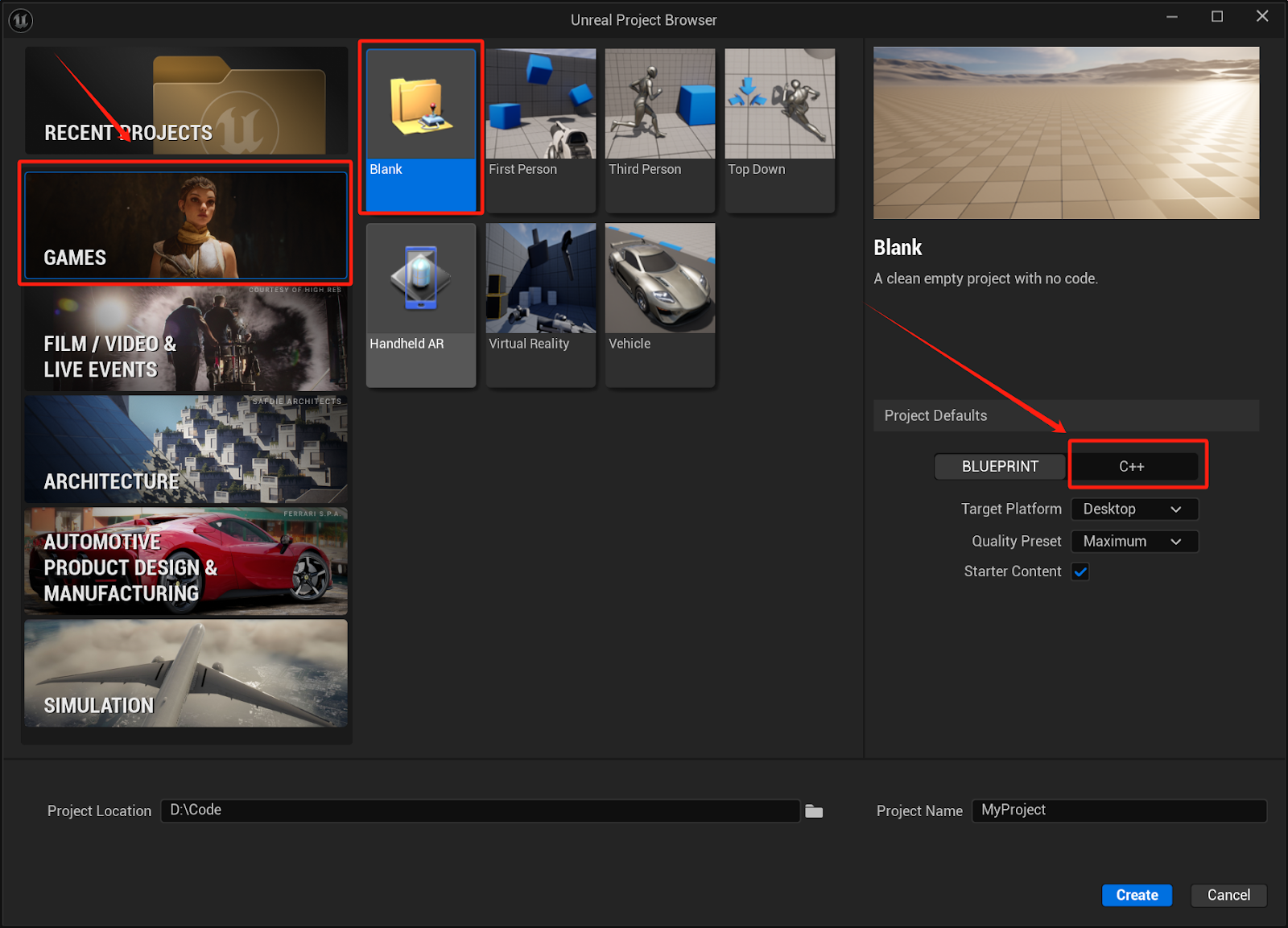
Create a new C++ game project in Unreal (5.4+). *Any of the games templates will work, but we recommend the Blank Template.*
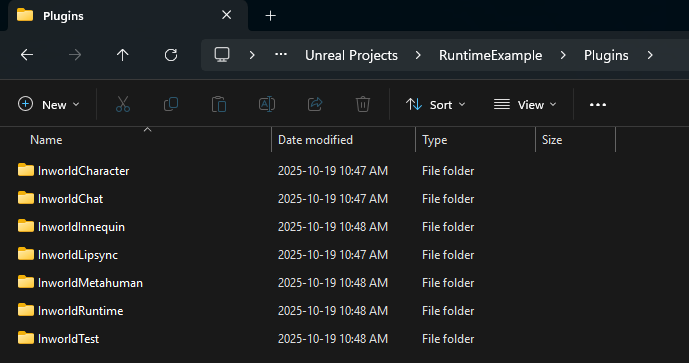
 Close Unreal. Create a Plugins folder in your project’s root directory. Extract the contents of each of the zip files you downloaded in step 1, and place them into this new folder.
 In the root folder of your project, click on the .uproject file to launch your project. You will be prompted to rebuild the newly added plugin modules.
To use the Inworld Agent Runtime SDK with cloud APIs, open the Unreal Editor and, in the top menu bar, go to Edit > Project Settings > Plugins > Inworld > ApiKey and paste your Base64 [Runtime API key](/unreal-engine/runtime/authentication) into the Runtime API Key field.
In the root folder of your project, click on the .uproject file to launch your project. You will be prompted to rebuild the newly added plugin modules.
To use the Inworld Agent Runtime SDK with cloud APIs, open the Unreal Editor and, in the top menu bar, go to Edit > Project Settings > Plugins > Inworld > ApiKey and paste your Base64 [Runtime API key](/unreal-engine/runtime/authentication) into the Runtime API Key field.
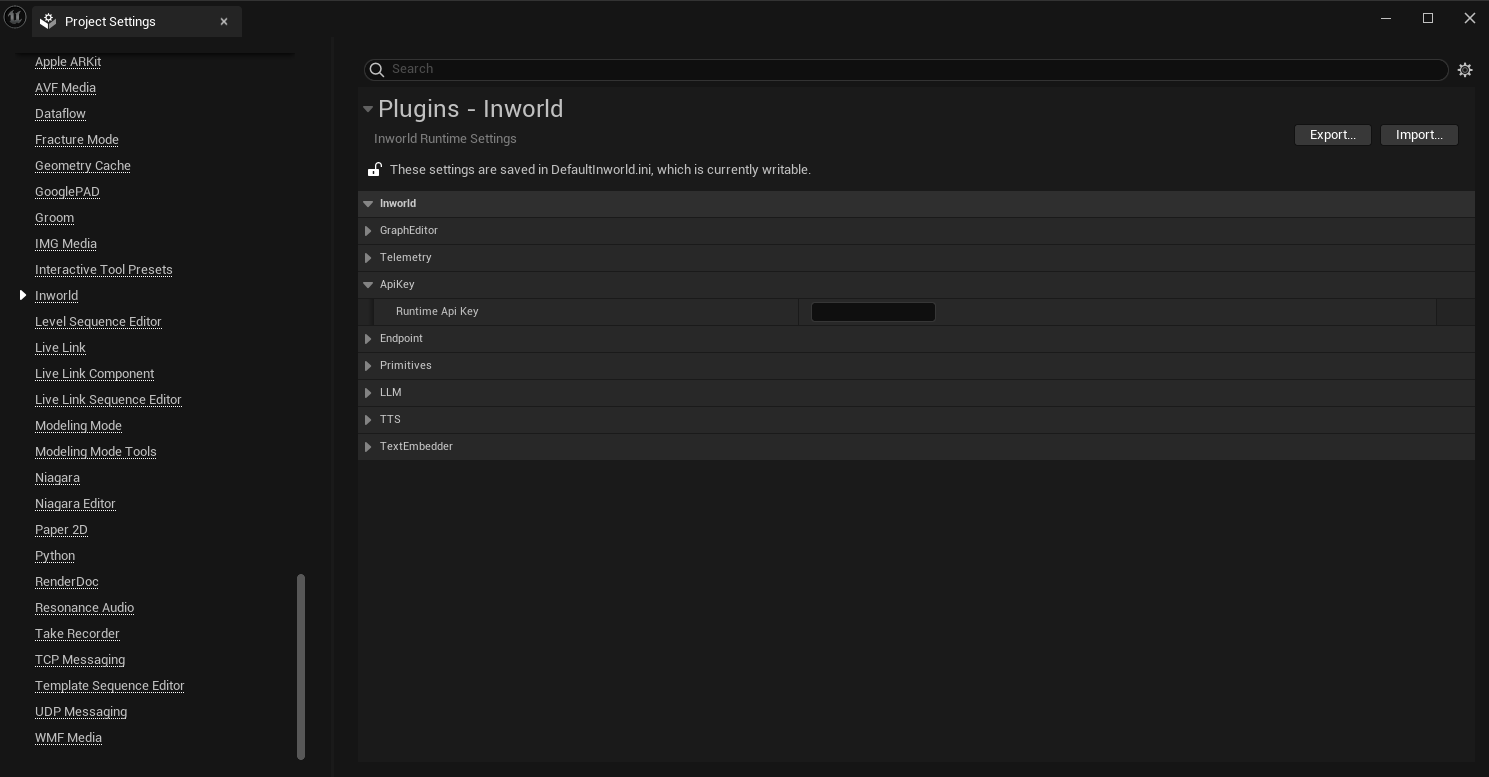 After you add your API key, to capture telemetry (e.g., logs, traces), you will need to restart Unreal.
Play the Chat template which illustrates how to have a simple audio to audio conversation using the Inworld Agent Runtime & Character.
1. Open the settings menu in the Content Browser within Unreal.
2. Enable the option for “Show Plugin Content”.
3. In the Content Browser, navigate to: `/Plugins/InworldChat`
4. Double-click on the Chat.umap.
5. Click the Play-in-Editor button (alt+p) to launch your level.
After you add your API key, to capture telemetry (e.g., logs, traces), you will need to restart Unreal.
Play the Chat template which illustrates how to have a simple audio to audio conversation using the Inworld Agent Runtime & Character.
1. Open the settings menu in the Content Browser within Unreal.
2. Enable the option for “Show Plugin Content”.
3. In the Content Browser, navigate to: `/Plugins/InworldChat`
4. Double-click on the Chat.umap.
5. Click the Play-in-Editor button (alt+p) to launch your level.
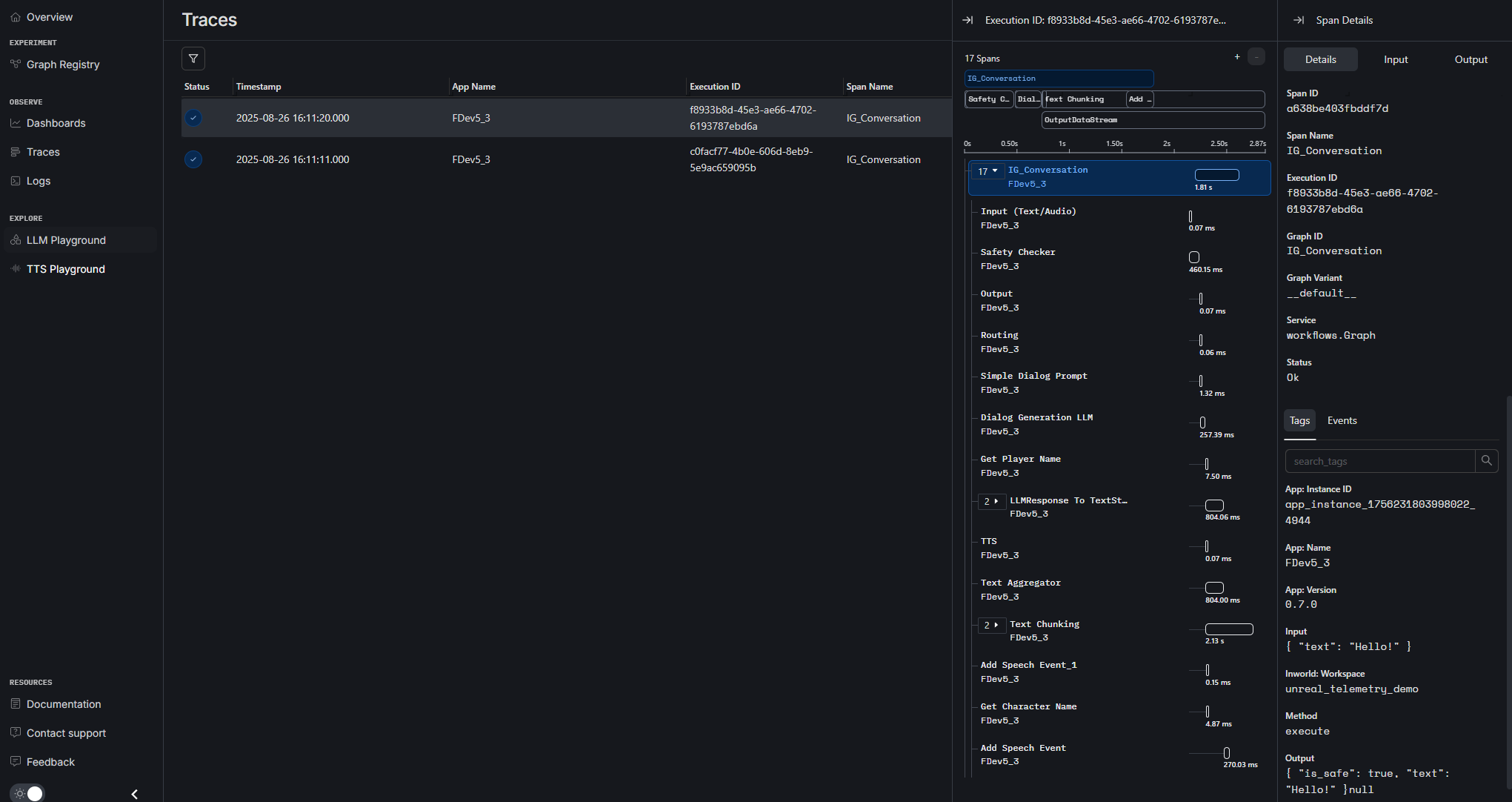
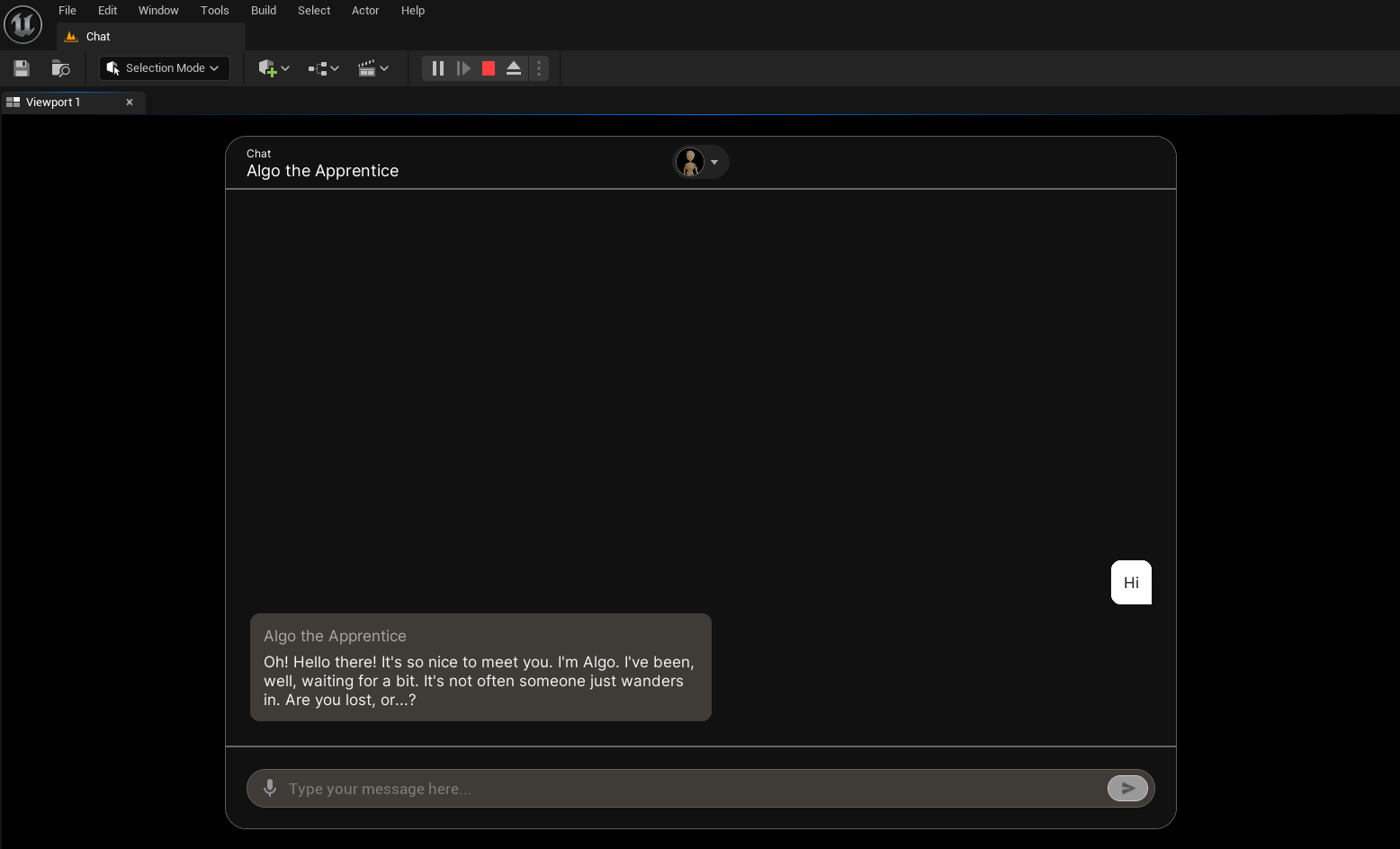 Go to your workspace in [Portal](https://platform.inworld.ai/) and explore the traces that were generated while you were playing the Chat Template.
 With these steps, you'll be all set to explore the capabilities of the Inworld Agent Runtime!
## Next steps
For more advanced explorations, check out:
* [Understand how the Chat template works](/unreal-engine/runtime/templates/chat)
* [Runtime reference](/unreal-engine/runtime/runtime-reference/overview) - Class definitions and functions
* [Learn how to use the Graph Editor](/unreal-engine/runtime/graph-editor)
With these steps, you'll be all set to explore the capabilities of the Inworld Agent Runtime!
## Next steps
For more advanced explorations, check out:
* [Understand how the Chat template works](/unreal-engine/runtime/templates/chat)
* [Runtime reference](/unreal-engine/runtime/runtime-reference/overview) - Class definitions and functions
* [Learn how to use the Graph Editor](/unreal-engine/runtime/graph-editor)