> ## Documentation Index
> Fetch the complete documentation index at: https://docs.inworld.ai/llms.txt
> Use this file to discover all available pages before exploring further.
# Text Embedding
Text embeddings are numerical representations of text data that capture semantic and contextual information about words and phrases. Text embeddings are useful for variety of natural language processing (NLP) tasks.
## Overview
In the Unreal SDK we utilize text embeddings for knowledge retrieval and intent detection. In order to optimize the process of embedding text, we provide a tool that can be utilized to embed text directly within the Unreal editor.
## Inworld Text Embedder tool
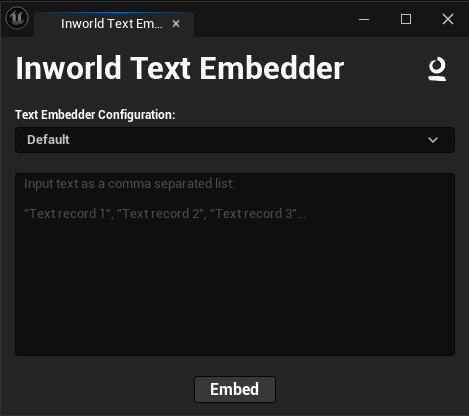 To create an Inworld Text Embeddings asset:
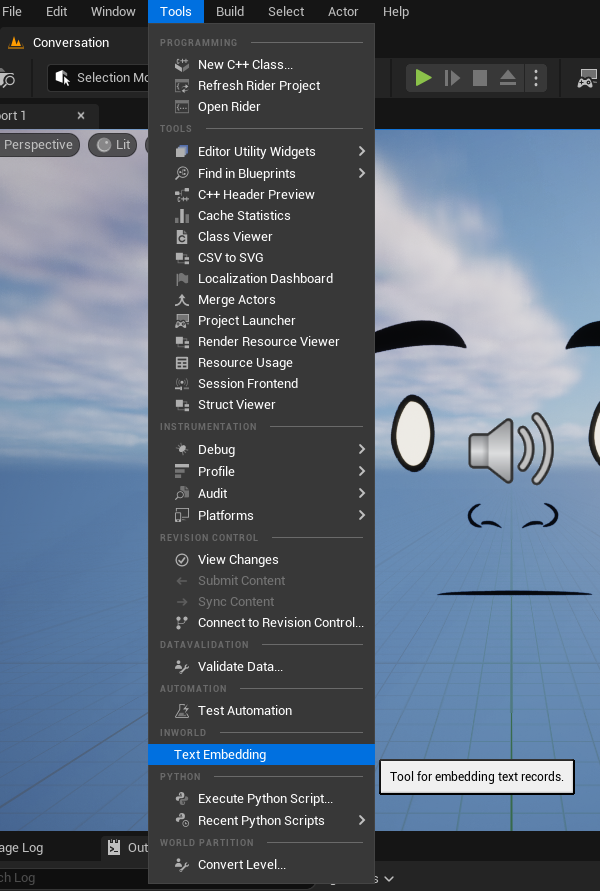
1. Open the Inworld Text Embedder through the Level **Tools** menu:
To create an Inworld Text Embeddings asset:
1. Open the Inworld Text Embedder through the Level **Tools** menu:
 2. Input the text you would like embedded into the large input box of the tool.
#### Input Format
The tool expects input as a comma separated list of text records:
* Commas are used as a delimiter (e.g. `Text Record 1, Text Record 2`)
* Each text record can optionally be enclosed in quotes (e.g. `"Text Record"`)
* Any comma within quotes will not be used as a delimiter (e.g. `"Text, Record"`)
* The entire input can optionally be wrapped in brackets (e.g. `("Text Record 1", "Text Record 2")`)
```Text Example Input theme={"system"}
("What is your favorite color?","Which color do you like the most?","Do you have a preferred color?","Is there a color that you consider your favorite?","What color do you feel most drawn to?")
```
2. Input the text you would like embedded into the large input box of the tool.
#### Input Format
The tool expects input as a comma separated list of text records:
* Commas are used as a delimiter (e.g. `Text Record 1, Text Record 2`)
* Each text record can optionally be enclosed in quotes (e.g. `"Text Record"`)
* Any comma within quotes will not be used as a delimiter (e.g. `"Text, Record"`)
* The entire input can optionally be wrapped in brackets (e.g. `("Text Record 1", "Text Record 2")`)
```Text Example Input theme={"system"}
("What is your favorite color?","Which color do you like the most?","Do you have a preferred color?","Is there a color that you consider your favorite?","What color do you feel most drawn to?")
```
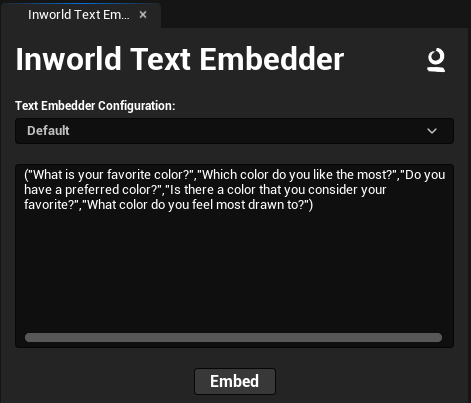 3. Press the `Embed` button to embed the text and store the result in a newly created **Inworld Text Embeddings Asset**.
 4. Here you can see the result of our example input:
```Text Example Input theme={"system"}
("What is your favorite color?","Which color do you like the most?","Do you have a preferred color?","Is there a color that you consider your favorite?","What color do you feel most drawn to?")
```
4. Here you can see the result of our example input:
```Text Example Input theme={"system"}
("What is your favorite color?","Which color do you like the most?","Do you have a preferred color?","Is there a color that you consider your favorite?","What color do you feel most drawn to?")
```
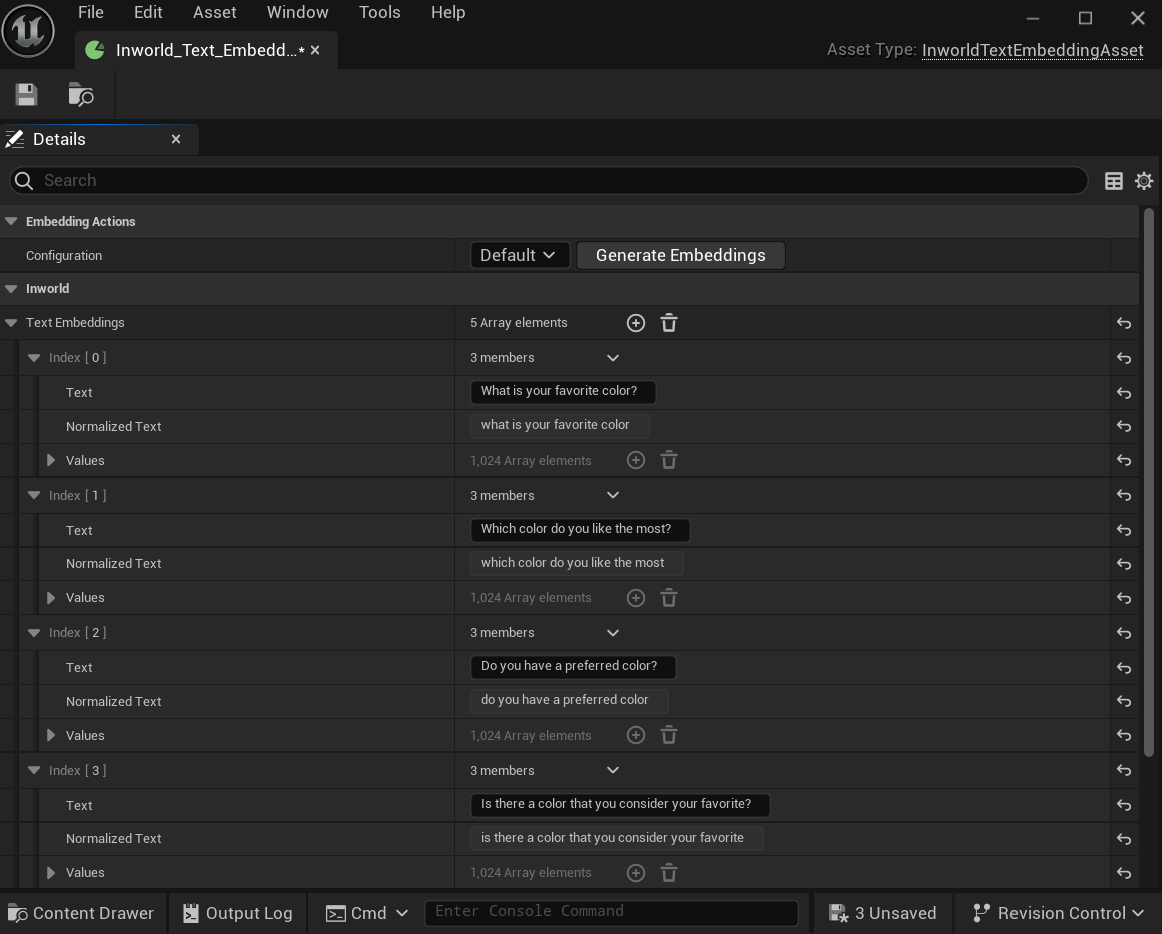 This asset can now be used with the Knowledge or Intent node.