

Get Started
Follow the steps below set up a MetaHuman in the SingleCharacter level.


Update the Anim Class property
Select the character’s Face in the components menu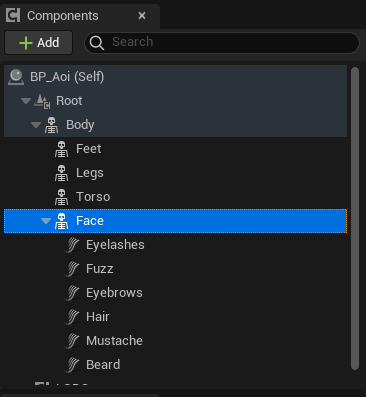
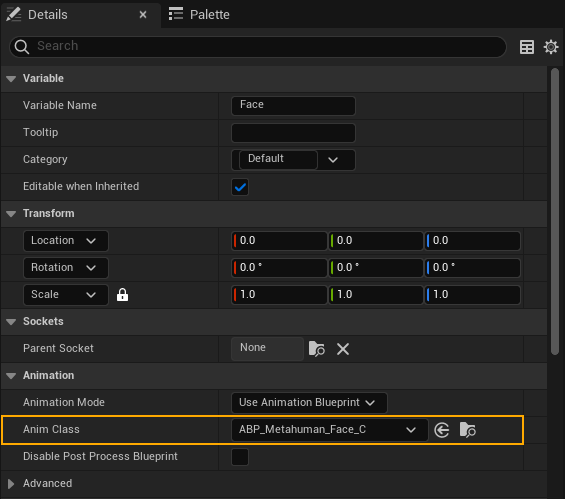
Add Inworld components
Add 
InworldVoiceAudio, InworldCharacter, and InworldLipsync components to the actor.InworldCharacter component with the appropriate data and graphs. See the Character template for details on setting up the character.