

Run the Template
- Go to Assets/InworldRuntime/Scenes/Primitives and play the
LLMTemplateScene. - Switch LLM models, configure the parameters, then press the
Connectbutton. - Type messages to the agent.
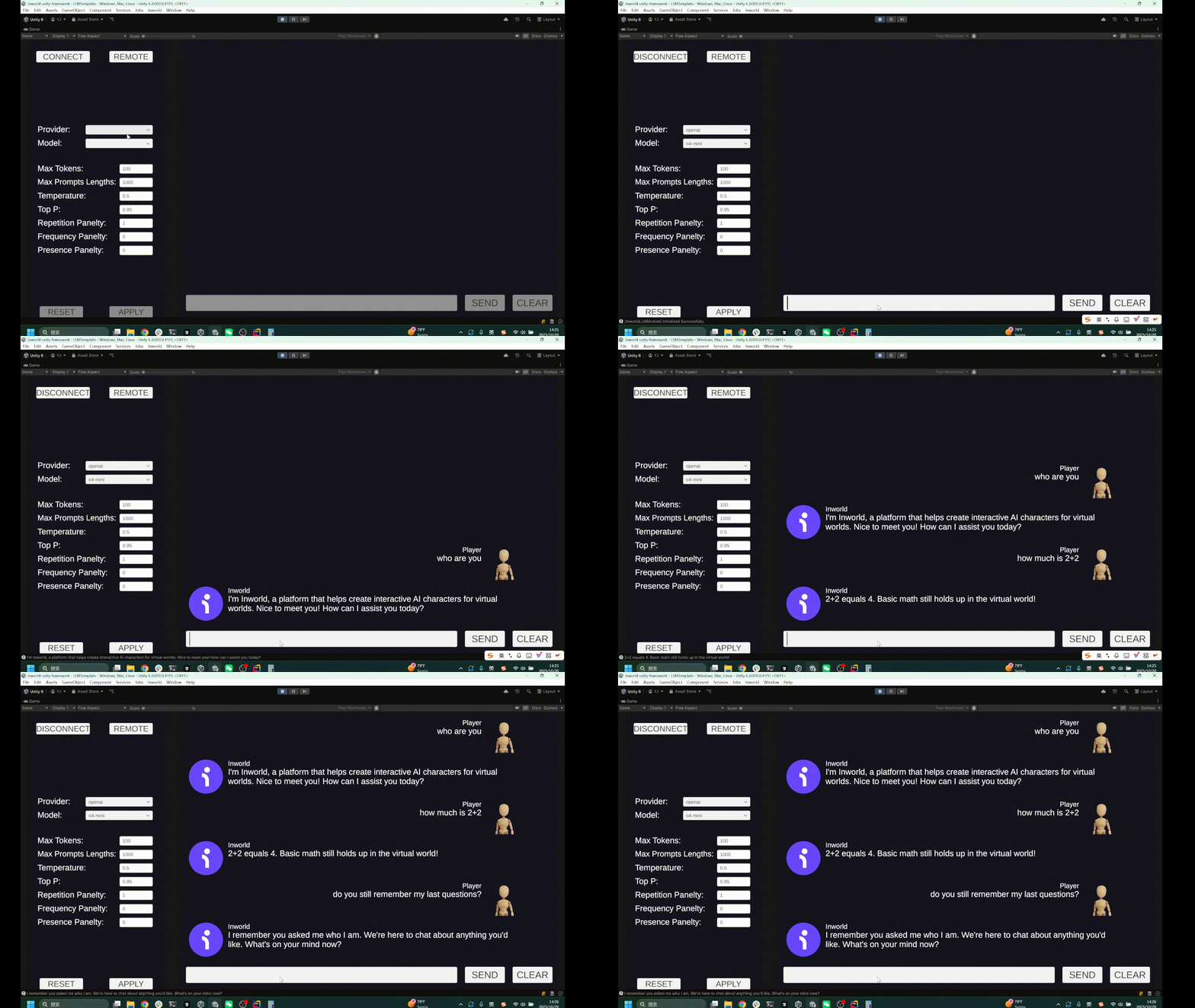
- You can also switch to local models by toggling the
Remotebutton.
StreamingAssets/llm/Meta-Llama-3.1-8B-Instruct-Q8_0.gguf, but you can also use your own models.
If you’re using the
Local models, we recommend setting the Device to CUDA for better performance.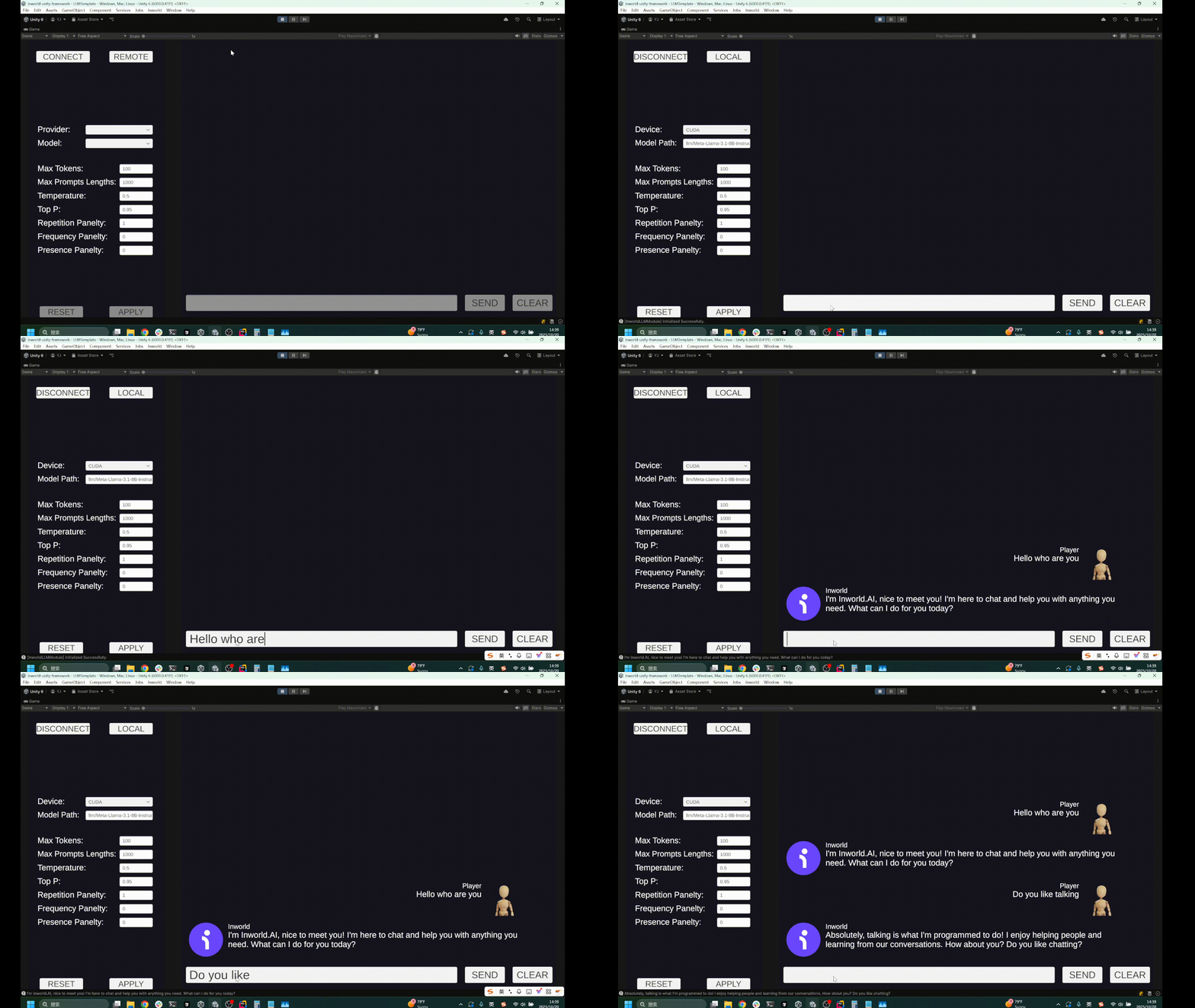
Understanding the Template
Structure
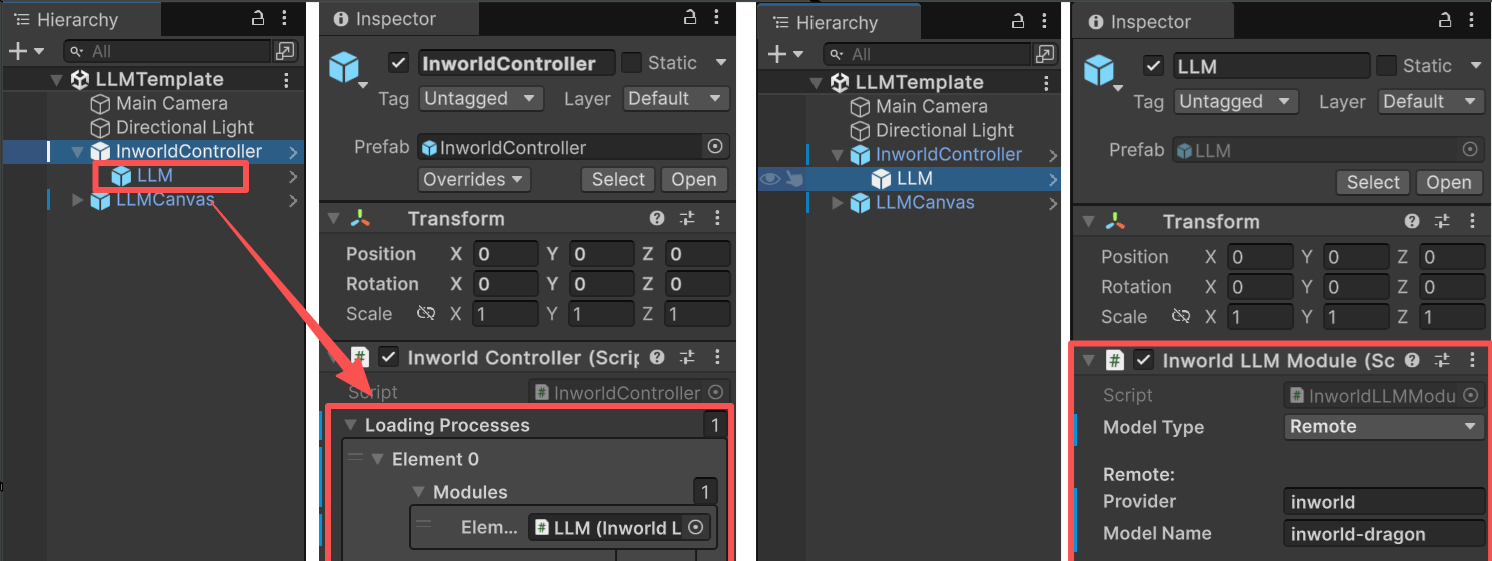
- This demo has a single prefab under
InworldController,LLM, which containsInworldLLMModule. - When
InworldControllerinitializes, it callsInworldLLMModule.InitializeAsync()(see Primitives Overview). - This function creates an
LLMFactory, then creates anLLMInterfacebased on the currentLLMConfig.
Parameters
- Max Tokens: Maximum number of tokens to generate. Longer outputs may cost more and are truncated at this limit.
- Max Prompt Length: Maximum tokens allowed in the prompt. Total context window = input + output, so available output ≈ window − input.
- Temperature: Controls randomness/creativity. Lower = more deterministic; higher = more diverse.
- Top P: Nucleus sampling. Samples only from tokens within cumulative probability P. Usually tune this or Temperature, not both.
- Repetition Penalty: Down-weights previously generated tokens to reduce loops and verbosity.
- Frequency Penalty: Penalizes tokens the more frequently they appear to curb repetition.
- Presence Penalty: Penalizes tokens after their first appearance to encourage introducing new topics.
Workflow
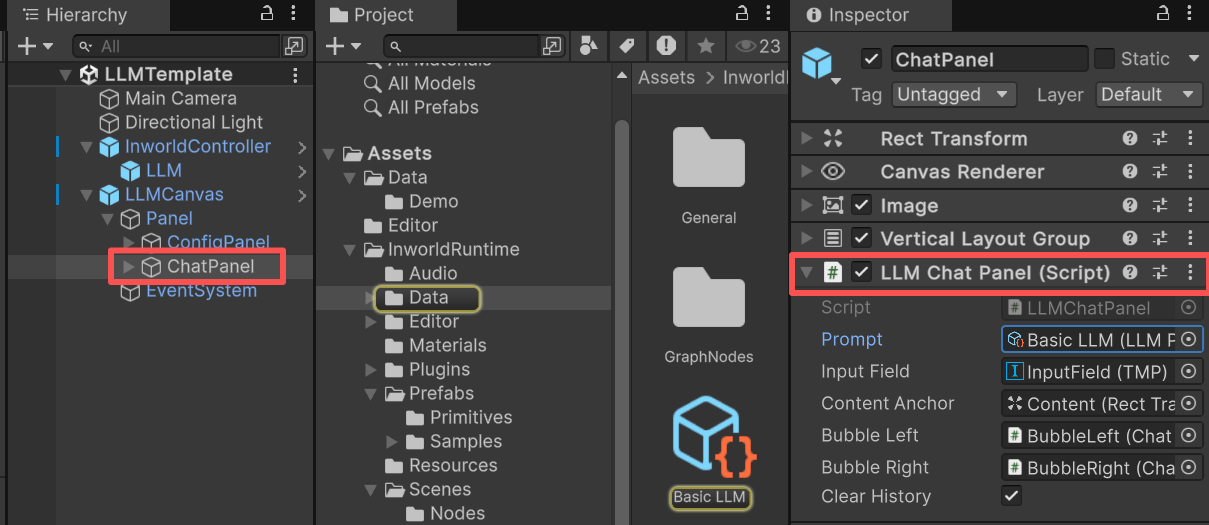
At runtime, whenInworldController invokes OnFrameworkInitialized, the demo’s LLMChatPanel listens to this event and enables the previously disabled UI.
When the user presses Enter or clicks SEND, LLMChatPanel first builds the chat history and inserts it into the prompt.
Prompt
This example uses the prompt asset atAssets/InworldRuntime/Data/BasicLLM.asset.
Simple Dialogue Prompt Template
Conversation list (List<Utterance>).
When InworldController.LLM.GenerateTextAsync() is invoked, the prompt is rendered via Jinja into the following format:
Simple Dialogue Prompt Template