Capabilities
Voice tags
Voice tags are free-form labels attached to each voice for filtering, grouping, and finding voices. Use them to describe vocal style, voice quality, and use cases.
Tags are not where gender, age group, or categories go. Those are separate structured fields with fixed enums (gender, ageGroup, categories) — set them via UpdateVoice after cloning. Putting "female" or "adult" in tags will not populate those fields.
Understanding voice tags
Each voice includes a tags array with free-form labels such as:
- Vocal style:
energetic,calm,professional,friendly,warm - Voice quality:
smooth,clear,expressive,conversational - Use-case hints:
narrator,announcer,character
Structured metadata (set via UpdateVoice, not tags):
gender:male,female,neutralageGroup:young,middle_aged,elderlycategories:companions,developer_assistants,education_training,enterprise,healthcare,interactive_media
Adding voice tags
You can add custom tags to a voice when cloning it in the TTS Playground:
- In the TTS Playground, click Create Voice, then Upload or record audio under Instant Voice Clone.
- Enter a name for your voice, then add tags — press Enter after each tag to add it to the list.
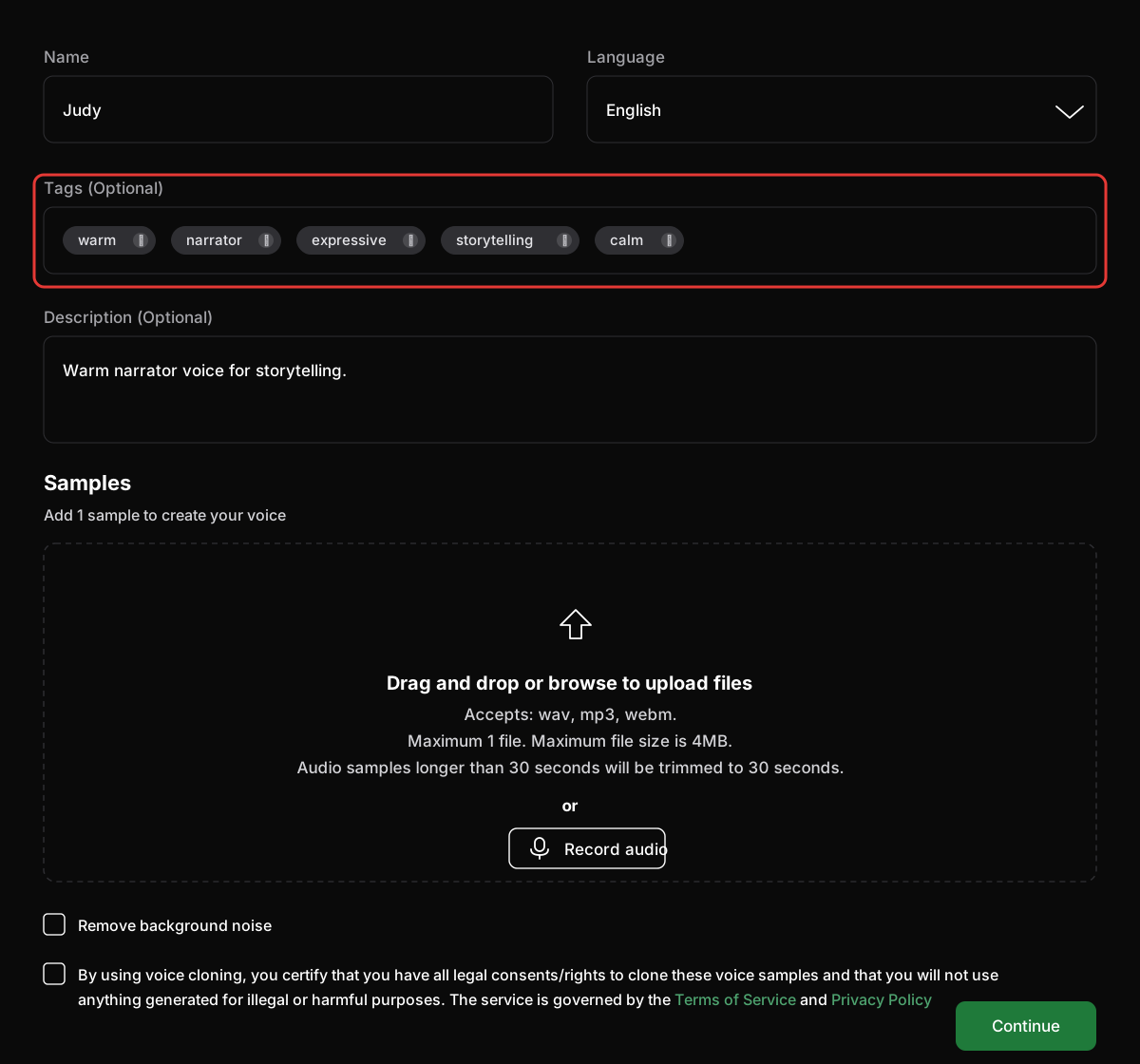
- Upload or record your audio sample and complete the cloning flow. See Voice Cloning for the full walkthrough.
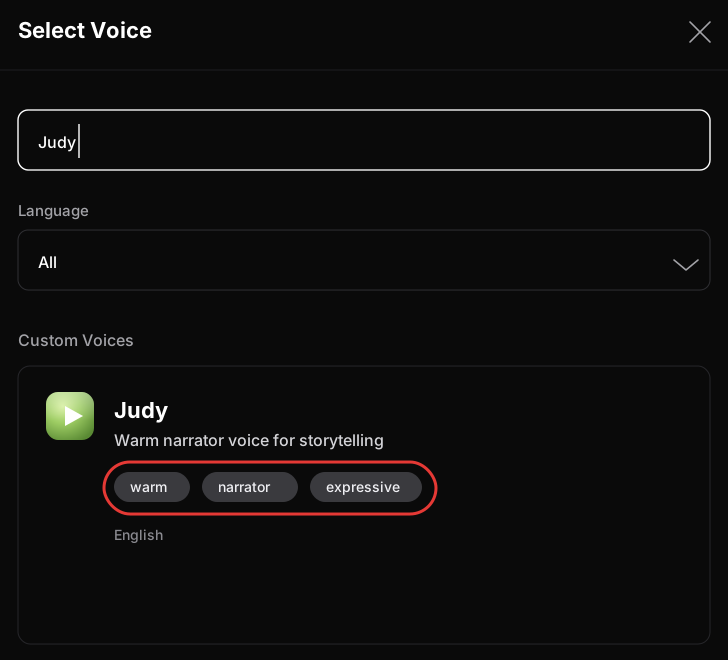
- Your new voice will appear in your voice list with the assigned tags.
Using voice tags
Voice tags are returned in the List voices in a workspace endpoint response, so you can filter and select voices programmatically:
{
  "voices": [
    {
      "voiceId": "my_workspace__my_custom_voice",
      "displayName": "My Custom Voice",
      "description": "A warm narrator voice",
      "promptLanguages": ["en-US"],
      "tags": ["warm", "expressive", "narrator"],
      "gender": "female",
      "ageGroup": "young",
      "categories": ["companions"],
      "source": "IVC"
    }
  ],
  "totalSize": 1,
  "nextPageToken": ""
}