
General Support

As a user of Inworld’s platform, you have full access to:
  • Comprehensive documentation
  • AI assistant within documentation that can answer natural language queries based on documentation
We offer additional dedicated support options depending on your account tier:
TierSupport
BasicSelf-serve documentation
GrowthEmail support with 24-hour SLA
PremiumDedicated technical support with 4-hour SLA; monthly health checks
EnterpriseCustom SLAs; priority issue resolution; dedicated technical account manager; Slack channel; regular business reviews
You can view the Support tier for your account under Billing. As your usage increases, we automatically upgrade you to the next Support tier. If you’d like to proactively upgrade your Support tier, please reach out to our team.

Product

What do experimental, preview, and stable mean?

Our model and feature releases will fall into one of the following categories:
  • Experimental - This is an early-stage release and is subject to change. Experimental models and features may not be stable, and are not recommended for production use.
  • Preview - This is a preview release which may not be suitable for all production use cases. May be further refined before Stable release.
  • Stable - Fully developed, tested, and stable features or models. Most production applications should use a Stable release.

How do I give feedback?

We love hearing from you! If you would like to request a feature or have any feedback, please submit feedback via the feedback form coming soon to the Portal.

Account Management

How do I share my workspace?

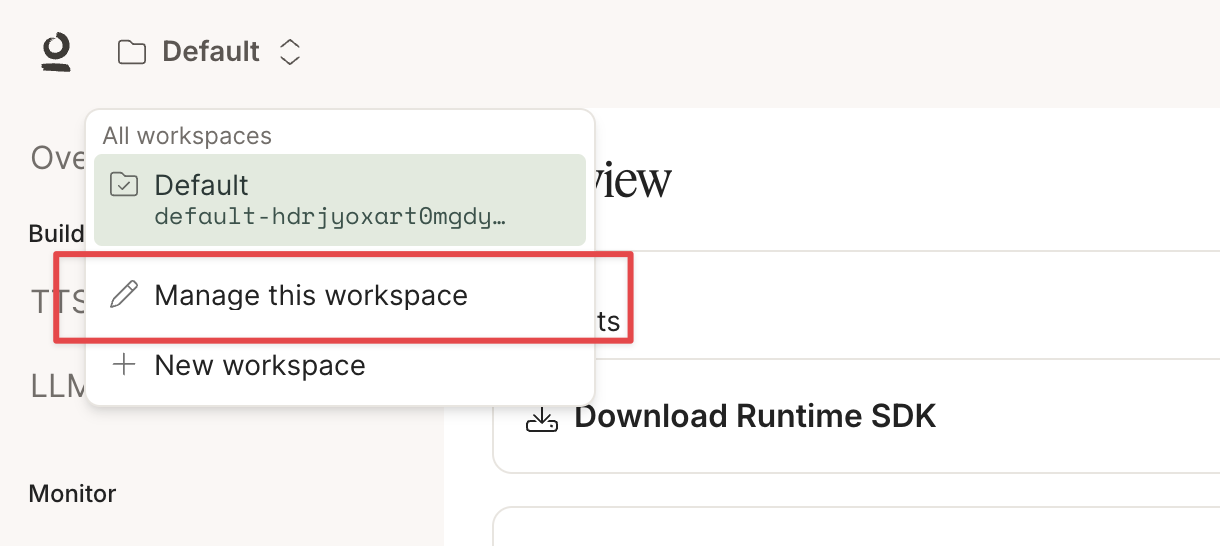
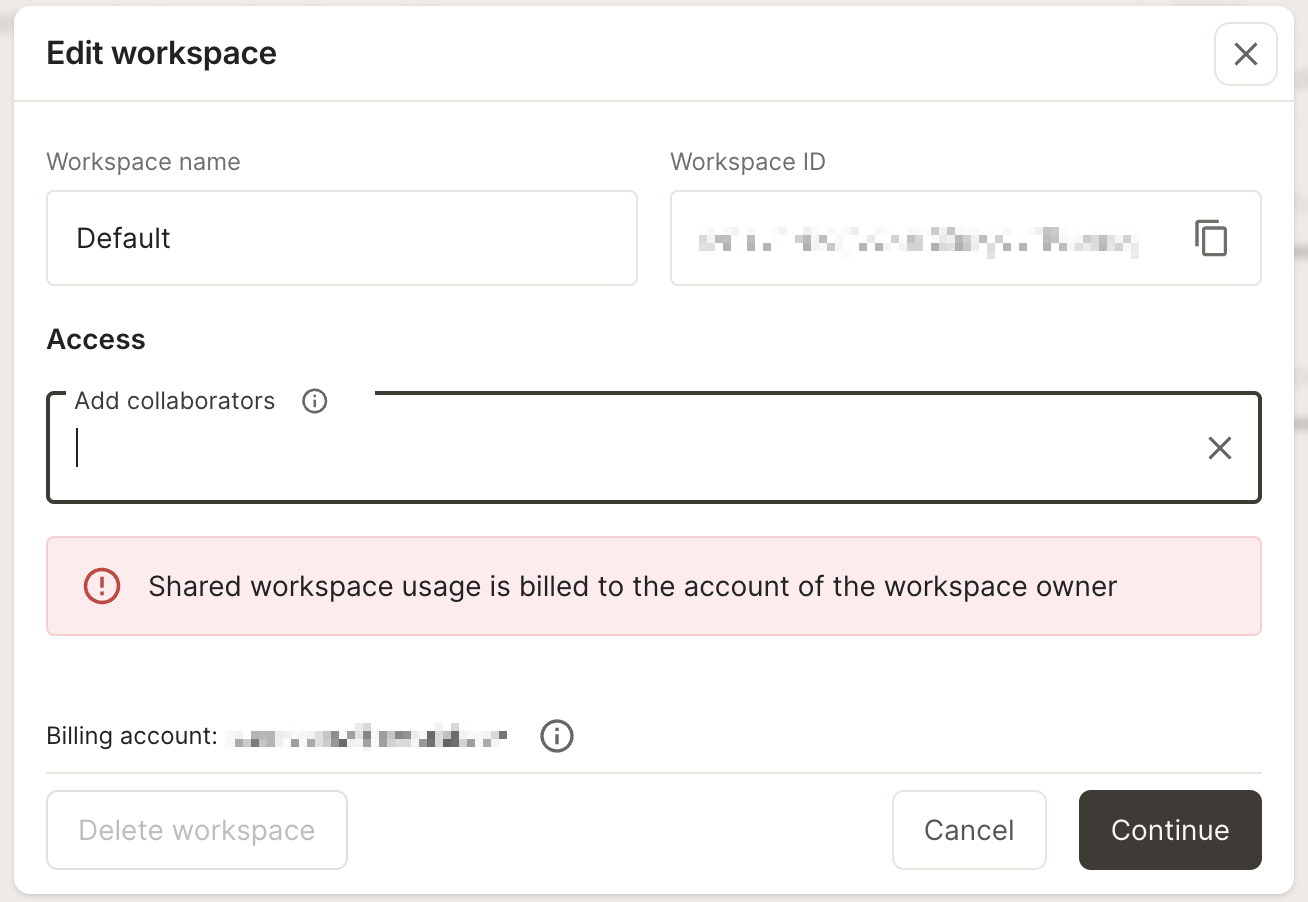
Click on the workspace selector in the top left corner, and select “Manage this workspace”. share-workspace In the screen that opens up, type in the account emails of your collaborators. share-workspace
How do I delete my account?

To delete your account, click on the profile icon in the top right corner and select Delete account. delete-account Please note this is an irreversible action and we cannot recover your account after it’s been deleted.

How do referrals work?

For the month of December, earn $25 in credit for each referral (2.5x more than usual)!
Loving Inworld? Share the love by inviting your friends to try Inworld, and both you and your friend earn credits when they sign up! To get started, copy and share your referral code, which you can find by clicking on the profile icon in the top right corner. referral-code Make sure your friend enters in their referral code during the sign up process. referral-code-sign-up
Referral credits earned in December will be reflected in January, as TTS is free for December.
Once the referral credits have been reflected in your account, you’ll see them in the Billing page under “Free usage remaining”.
Program Limitations & Conditions: This limited-time offer applies only when referring new users who have never created an Inworld account. Credits are capped at $50,000 per referrer, expire after 1 year, and have no cash value. Self-referrals and fraud are strictly prohibited. Inworld reserves the right to modify or terminate this program without notice.