

General Support
As a user of Inworld’s platform, you have full access to:- Comprehensive documentation
- AI assistant that can answer natural language queries based on documentation
- Discord community
Product
What do experimental, preview, and stable mean?
Our model and feature releases will fall into one of the following categories:- Experimental - This is an early-stage release and is subject to change. Experimental models and features may not be stable, and are not recommended for production use.
- Preview - This is a preview release which may be further refined before Stable release.
- Stable - Fully developed, tested, and stable features or models.
Account Management
How do I manage my team?
Owners and Admins on Builder plan and above can invite team members, assign roles, and manage organization-level access from the Team page in the Portal. See Team Management for role definitions and step-by-step instructions.How do I share my workspace?
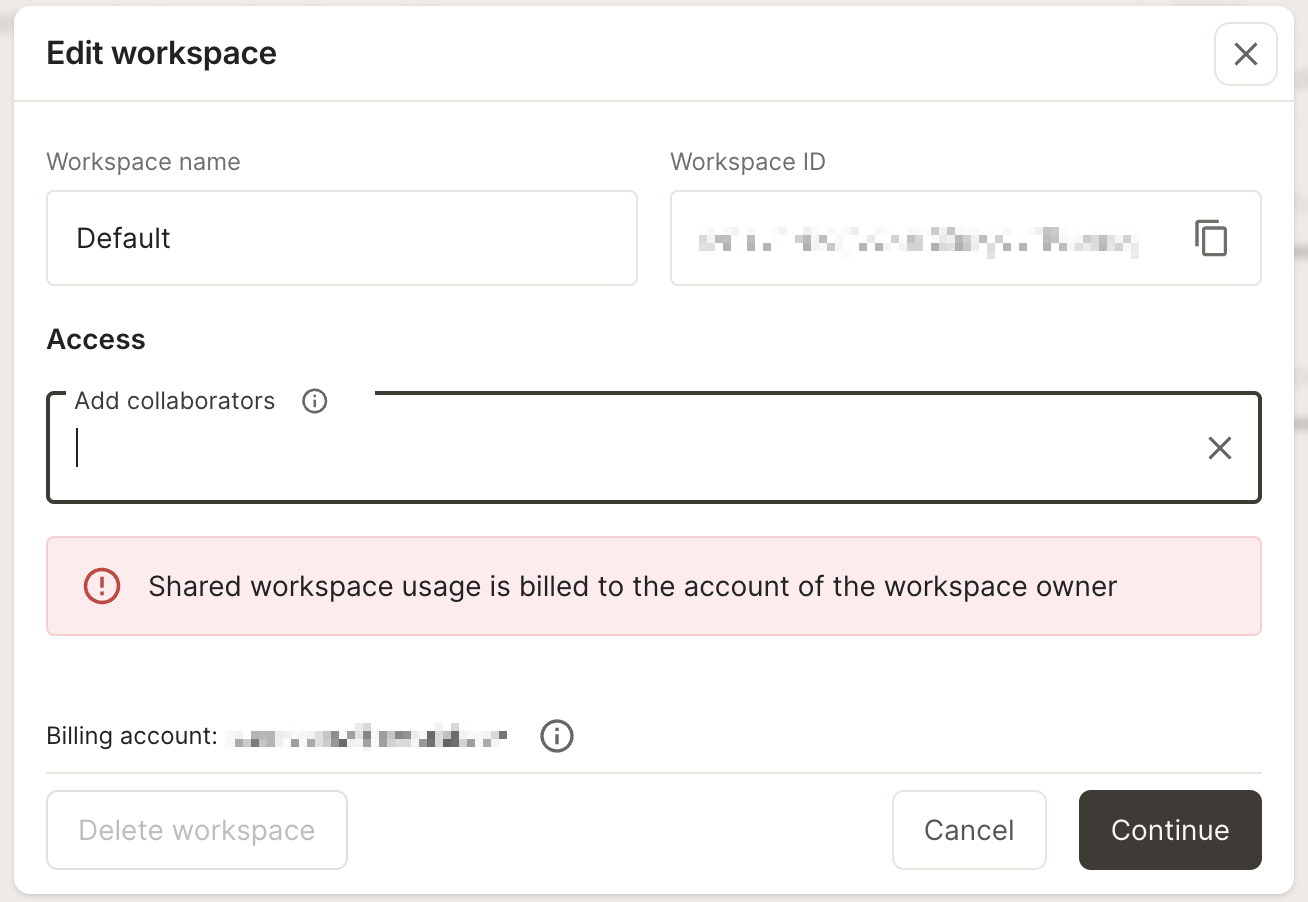
Workspace sharing is available when the workspace owner is on the Builder plan or above. Click on the workspace selector in the bottom left corner, and select “Manage this workspace”.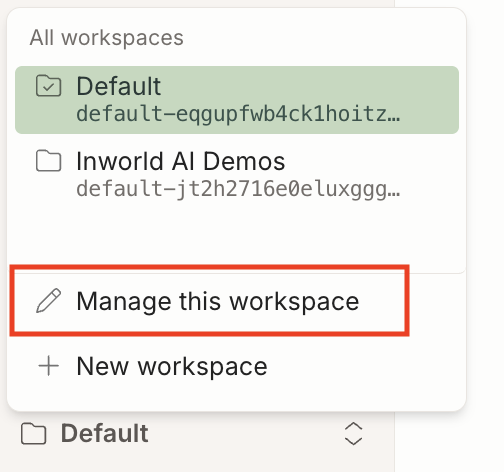
How do I change or reset my password?
If you signed up with an email and password, you can reset your password from the login screen:- Go to the Inworld login page and sign out if you are signed in.
- Click Trouble signing in? below the password field.
- Enter the email address associated with your account and submit.
- Open the password reset email from Inworld and follow the link to set a new password.
How do I cancel or resume my subscription?
Paid, non-enterprise subscriptions can be cancelled and resumed from the Billing page. Open Manage Plan and use Cancel Subscription, or scroll to the Cancellation section at the bottom of the page. Cancellation takes effect at the end of the current billing period — you keep access until then, and pending cancellations show a Resume action in the same place. You can also jump straight to the confirmation dialog using these direct links:- Cancel: https://platform.inworld.ai/billing?action=cancel-subscription
- Resume: https://platform.inworld.ai/billing?action=resume-subscription
For Enterprise plans, contact your account team to make subscription changes.