WebRTC quickstart
Build a browser-based voice agent that streams audio to the Inworld Realtime API using WebRTC. Audio is handled natively by the browser — no manual PCM encoding or base64 conversion needed.
Get Started
Create an API key
Create an Inworld account.
In Inworld Portal, generate an API key by going to Settings > API Keys. Copy the Base64 credentials.
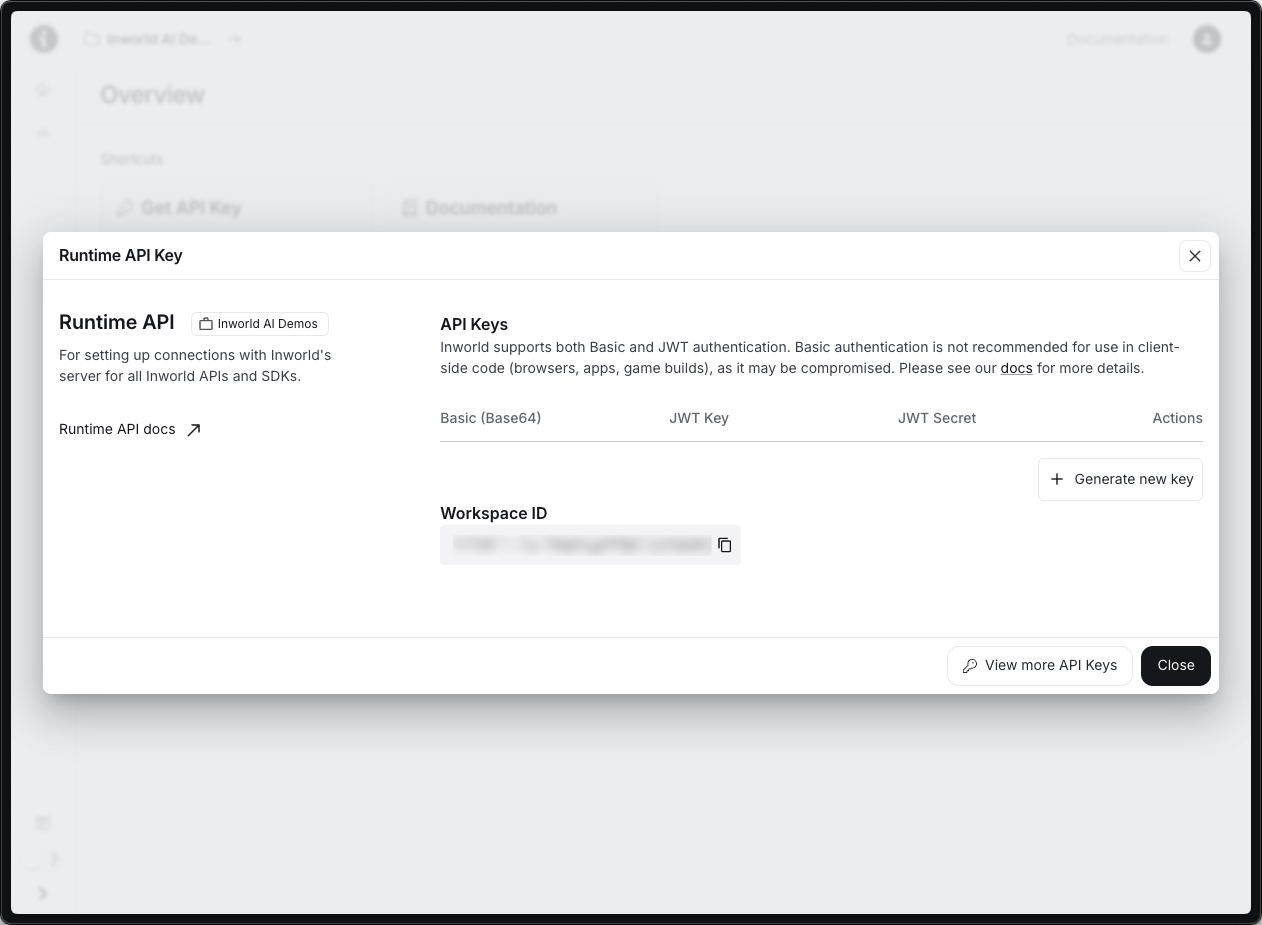
Create a .env file:
INWORLD_API_KEY=your-base64-api-key-hereCreate the server
Create server.js. It serves the page and provides a /api/config endpoint that fetches ICE servers from the WebRTC proxy while keeping the API key server-side.
import 'dotenv/config';
import { readFileSync } from 'fs';
import { createServer } from 'http';

const html = readFileSync('index.html');
const API_KEY = process.env.INWORLD_API_KEY || '';
const PROXY = 'https://api.inworld.ai';

const server = createServer(async (req, res) => {
  if (req.url === '/api/config') {
    let ice = [];
    try {
      const r = await fetch(`${PROXY}/v1/realtime/ice-servers`, {
        headers: { Authorization: `Bearer ${API_KEY}` },
      });
      if (r.ok) ice = (await r.json()).ice_servers || [];
    } catch {}
    res.writeHead(200, { 'Content-Type': 'application/json' });
    res.end(JSON.stringify({ api_key: API_KEY, ice_servers: ice, url: `${PROXY}/v1/realtime/calls` }));
    return;
  }
  res.writeHead(200, { 'Content-Type': 'text/html' });
  res.end(html);
});

let port = 3000;
server.on('error', (e) => {
  if (e.code === 'EADDRINUSE') { console.warn(`Port ${port} in use, trying ${++port}…`); server.listen(port); }
  else throw e;
});
server.listen(port, () => console.log(`Open http://localhost:${port}`));
Create the frontend
Create index.html in the same directory. It connects via WebRTC, streams mic audio automatically, and plays agent audio through an RTP track.
<!DOCTYPE html>
<html>
<head><meta charset="utf-8"><title>WebRTC Voice Agent</title></head>
<body style="display:flex;align-items:center;justify-content:center;height:100vh;margin:0">
  <button id="btn" onclick="toggle()">Start Conversation</button>
  <script>
    const btn = document.getElementById('btn');
    let pc, dc, stream, active = false;

    async function start() {
      btn.disabled = true; btn.textContent = 'Connecting…';
      const cfg = await (await fetch('/api/config')).json();
      stream = await navigator.mediaDevices.getUserMedia({
        audio: { echoCancellation: true, noiseSuppression: true }
      });

      pc = new RTCPeerConnection({ iceServers: cfg.ice_servers });
      dc = pc.createDataChannel('oai-events', { ordered: true });
      stream.getAudioTracks().forEach(t => pc.addTrack(t, stream));

      pc.ontrack = (e) => {
        const audio = document.createElement('audio');
        audio.autoplay = true;
        audio.srcObject = new MediaStream([e.track]);
        document.body.appendChild(audio);
      };

      dc.onopen = () => {
        btn.textContent = 'Stop Conversation'; btn.disabled = false; active = true;
        dc.send(JSON.stringify({
          type: 'session.update',
          session: {
            type: 'realtime',
            model: 'openai/gpt-4o-mini',
            instructions: 'You are a friendly voice assistant. Keep responses brief.',
            output_modalities: ['audio', 'text'],
            audio: {
              input: { turn_detection: { type: 'semantic_vad', eagerness: 'high', create_response: true, interrupt_response: true } },
              output: { model: 'inworld-tts-2', voice: 'Clive' }
            }
          }
        }));
        dc.send(JSON.stringify({
          type: 'conversation.item.create',
          item: { type: 'message', role: 'user', content: [{ type: 'input_text', text: 'Say hello and ask how you can help. One sentence max.' }] }
        }));
        dc.send(JSON.stringify({ type: 'response.create' }));
      };

      dc.onmessage = (e) => {
        const msg = JSON.parse(e.data);
        if (msg.type === 'response.output_text.delta') console.log(msg.delta);
      };

      const offer = await pc.createOffer();
      await pc.setLocalDescription(offer);
      await new Promise(r => {
        if (pc.iceGatheringState === 'complete') { r(); return; }
        let t; const done = () => { clearTimeout(t); r(); };
        pc.onicecandidate = (e) => { if (e.candidate) { clearTimeout(t); t = setTimeout(done, 500); } };
        pc.onicegatheringstatechange = () => { if (pc.iceGatheringState === 'complete') done(); };
        setTimeout(done, 3000);
      });

      const res = await fetch(cfg.url, {
        method: 'POST',
        headers: { 'Content-Type': 'application/sdp', Authorization: `Bearer ${cfg.api_key}` },
        body: pc.localDescription.sdp,
      });
      await pc.setRemoteDescription({ type: 'answer', sdp: await res.text() });
    }

    function stop() {
      if (stream) stream.getTracks().forEach(t => t.stop());
      if (pc) pc.close();
      document.querySelectorAll('audio').forEach(a => a.remove());
      pc = dc = stream = null; active = false;
      btn.textContent = 'Start Conversation'; btn.disabled = false;
    }

    function toggle() { active ? stop() : start().catch(e => { console.error(e); stop(); }); }
  </script>
</body>
</html>
Install and run
npm init -y && npm pkg set type=module
npm install dotenv
node server.js
Open http://localhost:3000 and click Start Conversation. The agent greets you with audio.
Option 2: Using OpenAI Agents SDK
If you're building a more advanced voice agent with features like agent handoffs, tool calling, and guardrails, you can use the OpenAI Agents SDK with Inworld's WebRTC proxy. We provide a ready-to-run playground based on OpenAI's realtime agents demo.
Clone the playground
git clone https://github.com/inworld-ai/experimental-oai-realtime-agents-playground.git
cd experimental-oai-realtime-agents-playground
npm installConfigure the API key
Open .env and set OPENAI_API_KEY to your Inworld API key (the same Base64 credentials from Inworld Portal):
OPENAI_API_KEY=your-inworld-base64-api-key-hereOPENAI_API_KEY, this must be your Inworld API key — not an OpenAI key. The SDK uses this variable name by convention, but the playground routes all traffic through the Inworld WebRTC proxy.Run
npm run devOpen http://localhost:3000. Select a scenario from the Scenario dropdown and start talking.
The playground includes two agentic patterns:
- Chat-Supervisor — A realtime chat agent handles basic conversation while a more capable text model (e.g.
gpt-4.1) handles tool calls and complex responses. - Sequential Handoff — Specialized agents transfer the user between them to handle specific intents (e.g. authentication → returns → sales).
For full details on customizing agents, see the playground's README.
How It Works
| Component | Role |
|---|---|
| Browser | Captures mic audio via WebRTC, plays agent audio from RTP track |
| Node.js server | Serves the page and /api/config (ICE servers + API key) |
| WebRTC proxy | Bridges WebRTC ↔ WebSocket, transcodes OPUS ↔ PCM16 |
| Inworld Realtime API | Handles speech-to-text, LLM processing, and text-to-speech |
Key differences from WebSocket:
- Audio flows via RTP tracks (no base64 encoding)
- Events flow via DataChannel (same JSON schema)
- Browser handles OPUS codec natively